
AI Insights: Find and Fix Knowledge Gaps.
AI Insights surfaces the questions your chatbot couldn't answer, its riskiest answers, and thumbs-down replies — with one-click fixes into your knowledge base.
3-day free trial · Monthly or annual billing · Cancel anytime
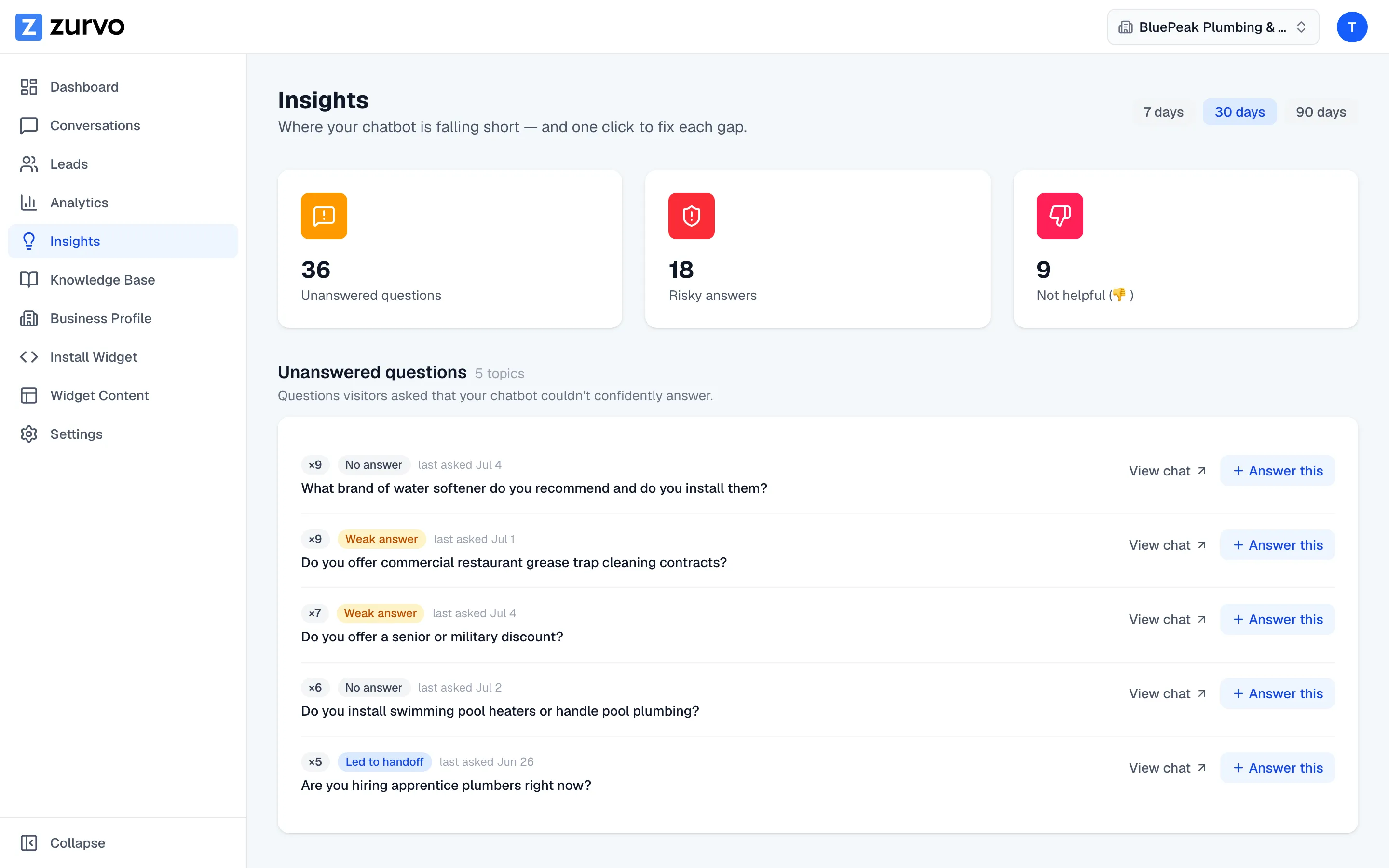
Unanswered questions
Grouped, ranked, highest-leverage first.
Every time the chatbot abstains or answers on weak grounding, Zurvo marks that turn unanswered and ties it to the visitor's question. Instead of a log of ten thousand messages, you get a short ordered list of what your content can't answer.
- Near-duplicate questions grouped together
- Ranked by how often they came up
- Answer the top item and resolve it for every future visitor
The risky-answers queue
Catch confident-but-shaky replies.
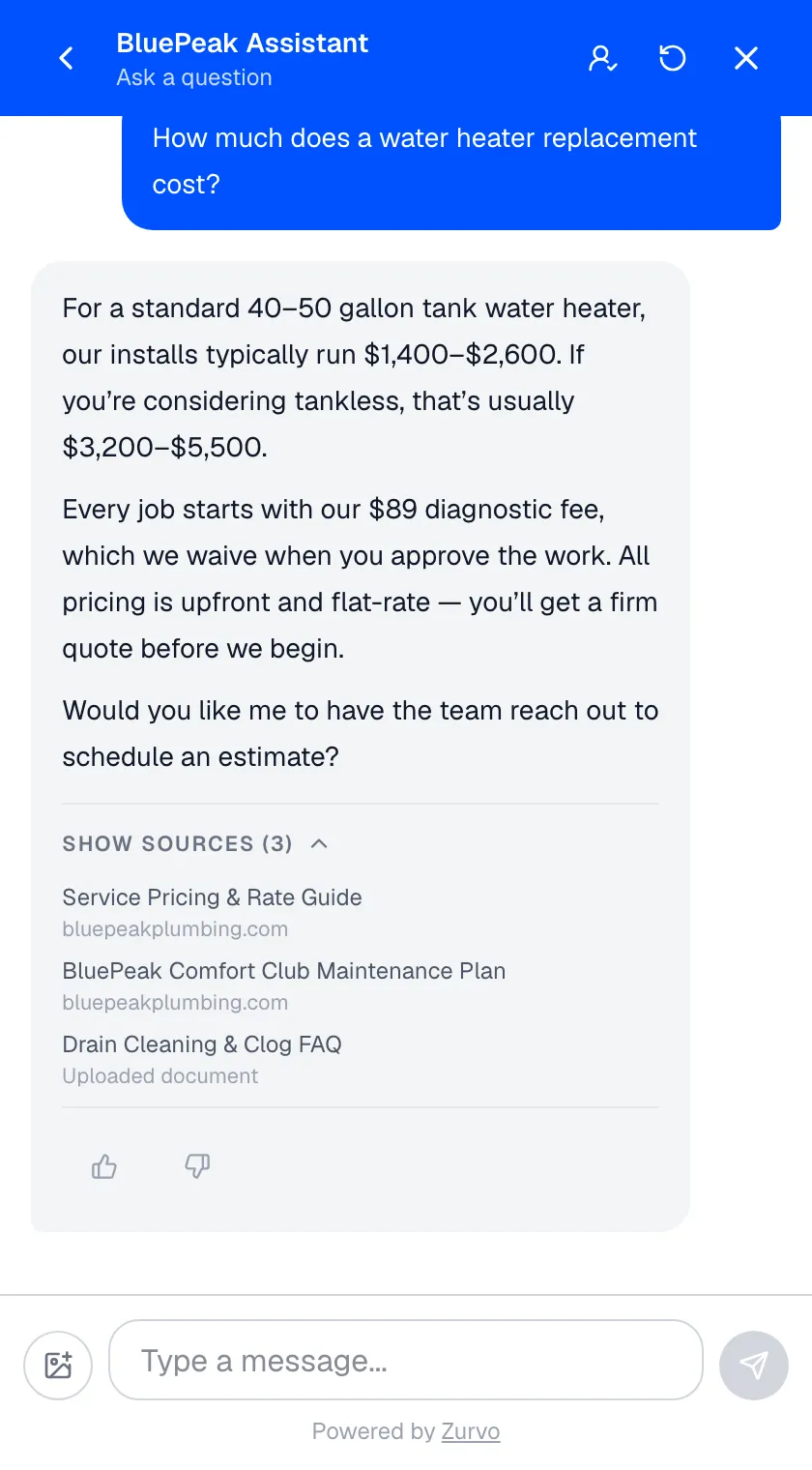
Abstaining is the safe failure. The dangerous one is the answer the chatbot did give on thin evidence — it doesn't show up as a handoff, so it slips through. Zurvo surfaces these for review before a customer finds them.
- Answers where grounding was weak or near the abstention threshold
- Each shows the question, answer snippet, and grounding badge
- Links to the full conversation, fixed like any other gap
Thumbs-down review
Turn visitor frustration into fixes.
Your visitors are a QA team you don't pay. When someone marks a reply unhelpful, it lands in a review queue with the question, the answer, and a link to the conversation — a direct signal that an answer missed even when grounding looked fine.
- Every thumbs-down becomes a concrete fix
- Catches misses the grounding score wouldn't flag
- Feedback flows straight in from the widget
One-click fixes
"Answer this" drops you into the editor.
Finding gaps is only half the value; most tools show a problem and make you hunt for where to fix it. Every item in AI Insights has an Answer this button that closes the loop without friction.
- Jumps straight into the knowledge editor, pre-filled
- The question becomes the new document's title
- Save it and the chatbot handles that question next time
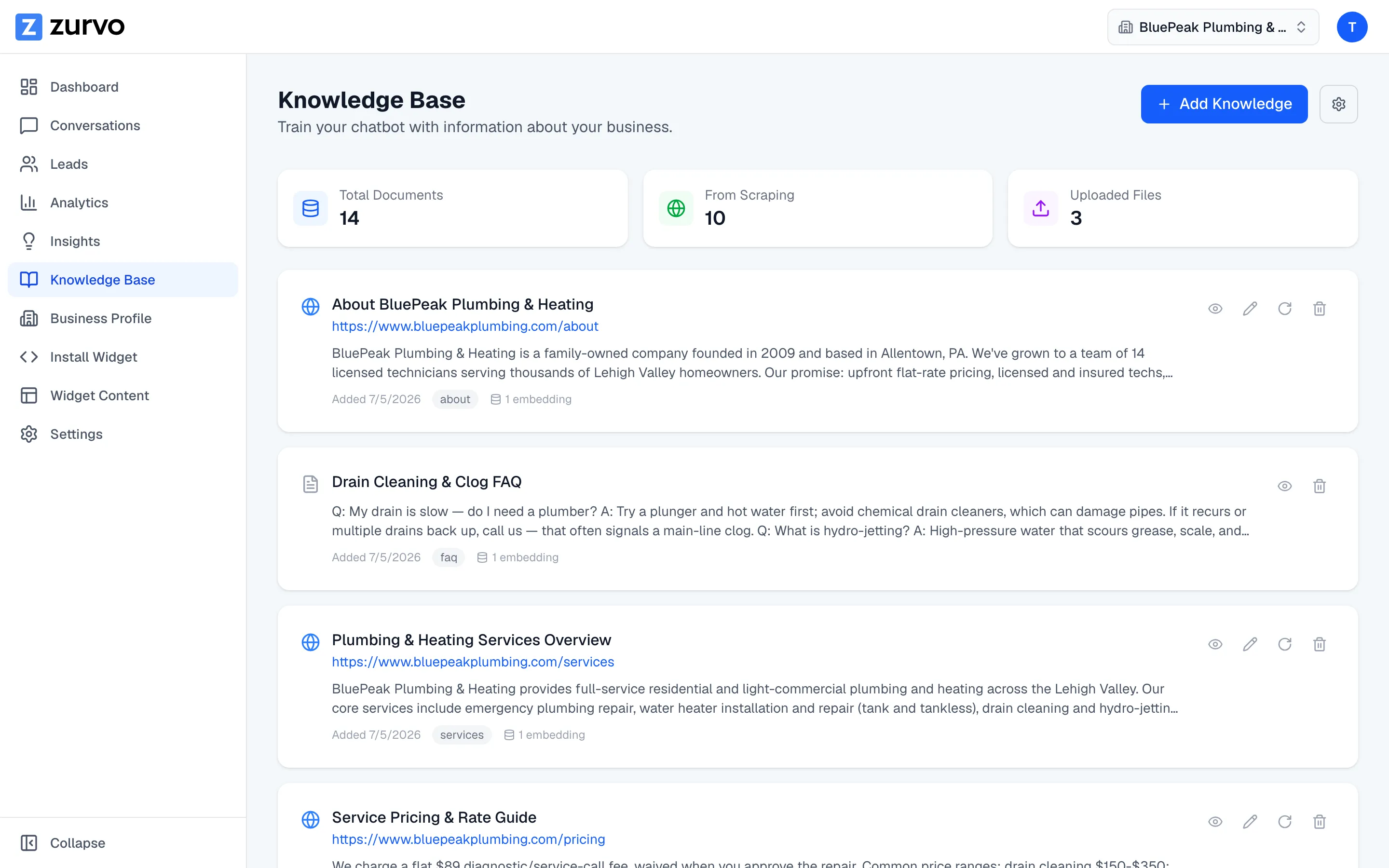
AI Insights turns your live traffic into a self-improving system: gaps the chatbot couldn’t answer surface grouped and ranked, one click drops you into the knowledge editor, and each fix widens what the bot covers while shrinking human handoff — the fastest path to real ticket deflection.
Honestly, Insights won’t write the answers for you, it’s a 7/30/90-day review surface rather than real-time alerting, and its value grows with your traffic. It’s included on every plan — see pricing or try it live.
Frequently asked questions.
What's the difference between AI Insights and Analytics?
Analytics tells you how much — conversations, leads, conversion rate, trends. AI Insights tells you what to fix — the specific questions your content couldn't answer, the answers that were shaky, and the replies visitors marked unhelpful. Analytics is the scoreboard; Insights is the to-do list.
How does Zurvo know a question went unanswered?
When the chatbot abstains or answers on weak grounding, that turn is classified as unanswered and attributed to the visitor's question. Zurvo groups near-duplicate questions together and ranks them by frequency, so the biggest gaps rise to the top.
What is the risky-answers queue?
It surfaces answers the chatbot did give but on shaky ground — where the grounding was weak, or borderline and close to the abstention threshold. These are answers worth reviewing because they're the ones most likely to be wrong even though the bot didn't abstain.
What does 'Answer this' do?
It's a one-click jump from a gap straight into the knowledge editor, pre-filled with the question as the title of a new document. You write the answer, save it, and the chatbot can handle that question next time — closing the loop without hunting for where to add content.
How far back do insights look?
You can view insights over the last 7, 30, or 90 days, so you can catch a spike early or review a full quarter of gaps at once.
How does the improvement loop actually work?
AI Insights turns live traffic into a self-improving system: the chatbot answers from your content and abstains when it can't (Grounded AI); gaps, risky answers, and thumbs-downs collect in Insights, grouped and ranked; you click Answer this on the highest-frequency items and write the missing content once. Each pass widens what the chatbot covers and shrinks what reaches your team through human handoff.
Is AI Insights real-time alerting?
No. Insights is a review surface over the last 7, 30, or 90 days, not a pager for individual conversations. For live escalations on a single conversation, that's human handoff.
Does AI Insights write the answers for me?
No. Zurvo finds the gap and drops you into the knowledge editor pre-filled with the question as the title — but the content is yours, because only you know the right answer. The value also grows with volume: a quiet chatbot produces few insights.
Turn your website into your best support agent.
Train Zurvo on your content, answer customers with citations, and hand off to your team when it counts.
3-day free trial · Monthly or annual billing · Cancel anytime