
Knowledge Base Software for Your AI Chatbot.
Build your chatbot's knowledge base fast: crawl your website, upload PDF, DOCX, PPTX, TXT and MD files, paste text, and edit an auto-built business profile.
3-day free trial · Monthly or annual billing · Cancel anytime
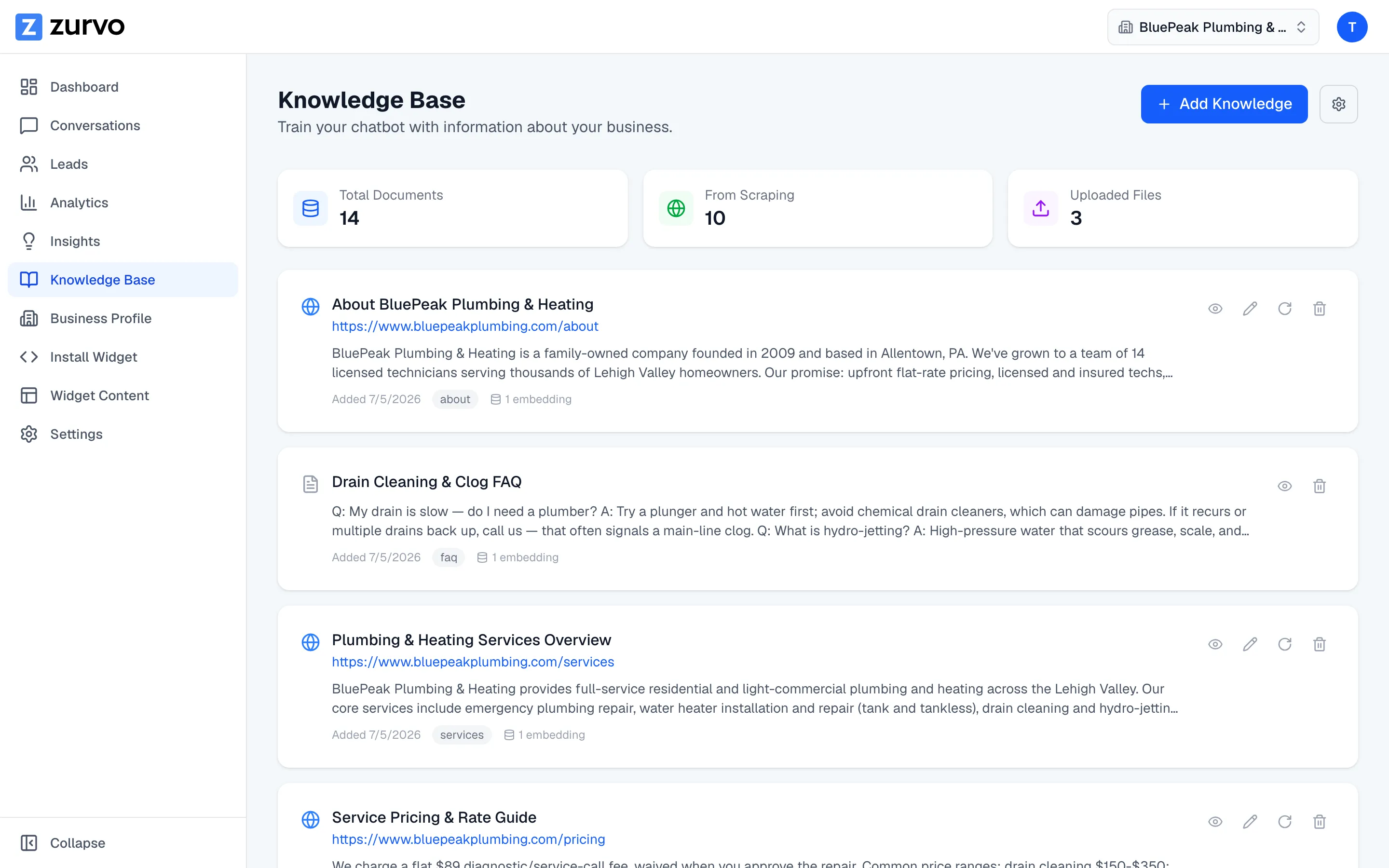
Crawl your website
Point it at content you already have.
Most businesses have already published the bulk of their support content. Point Zurvo at your help center, docs, or policy pages and it crawls and ingests them — job-tracked with live progress you can cancel mid-run.
- Parses robots.txt and sitemaps, honors Disallow rules
- Prioritizes high-value pages, with SSRF defenses
- Crawl limits scale by plan, from 100 to 1,000 pages
Upload and paste
Bring in the content that lives in files.
Upload the material that isn't on the web — Zurvo extracts it and makes it answerable. And when an answer only lives in someone's head, paste it straight in and it becomes answerable content immediately.
- PDF, DOCX, PPTX, TXT and MD supported
- Policy docs, playbooks, training decks, notes
- Paste a policy or FAQ you never formalized
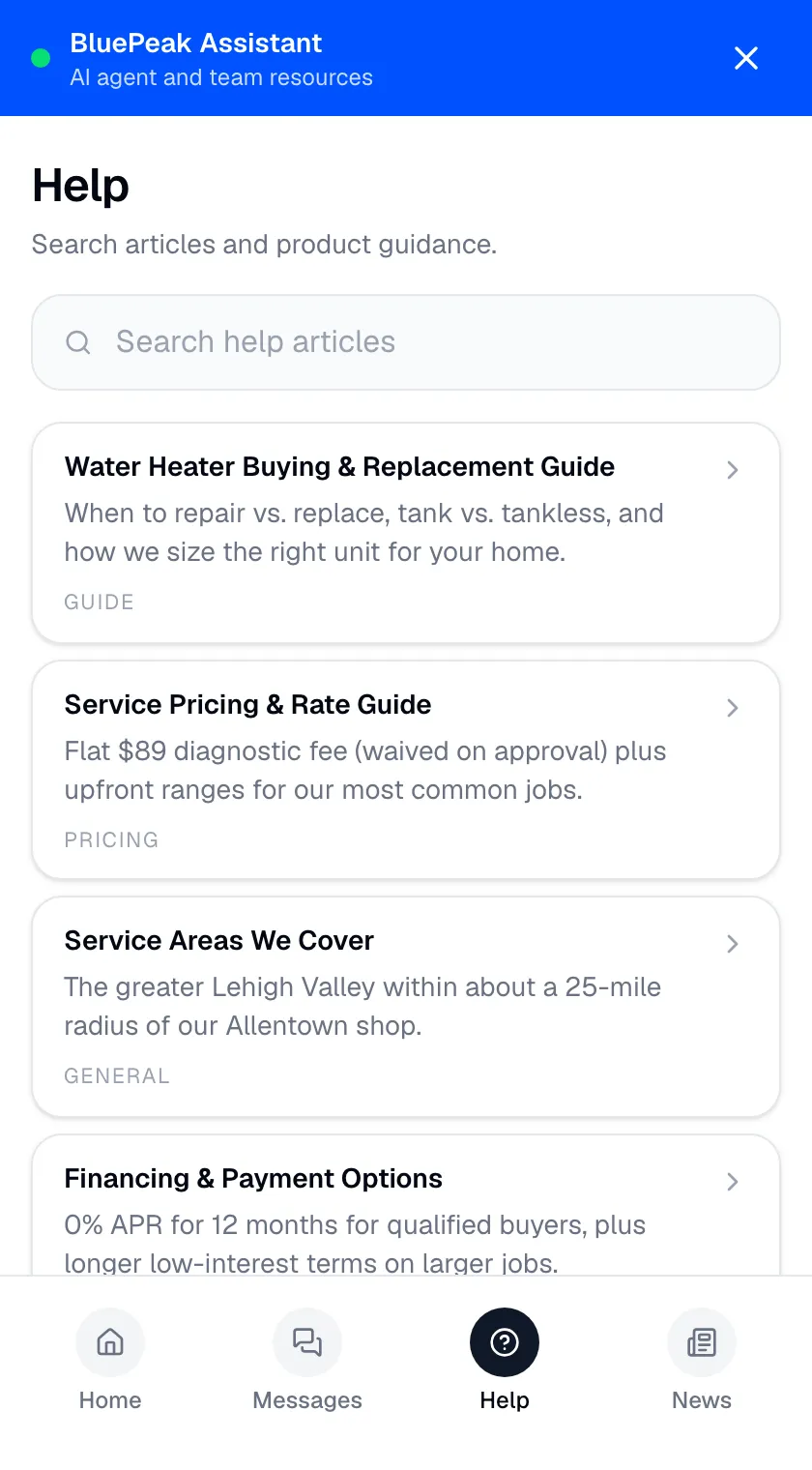
Auto-built business profile
Refine a draft, don't configure from scratch.
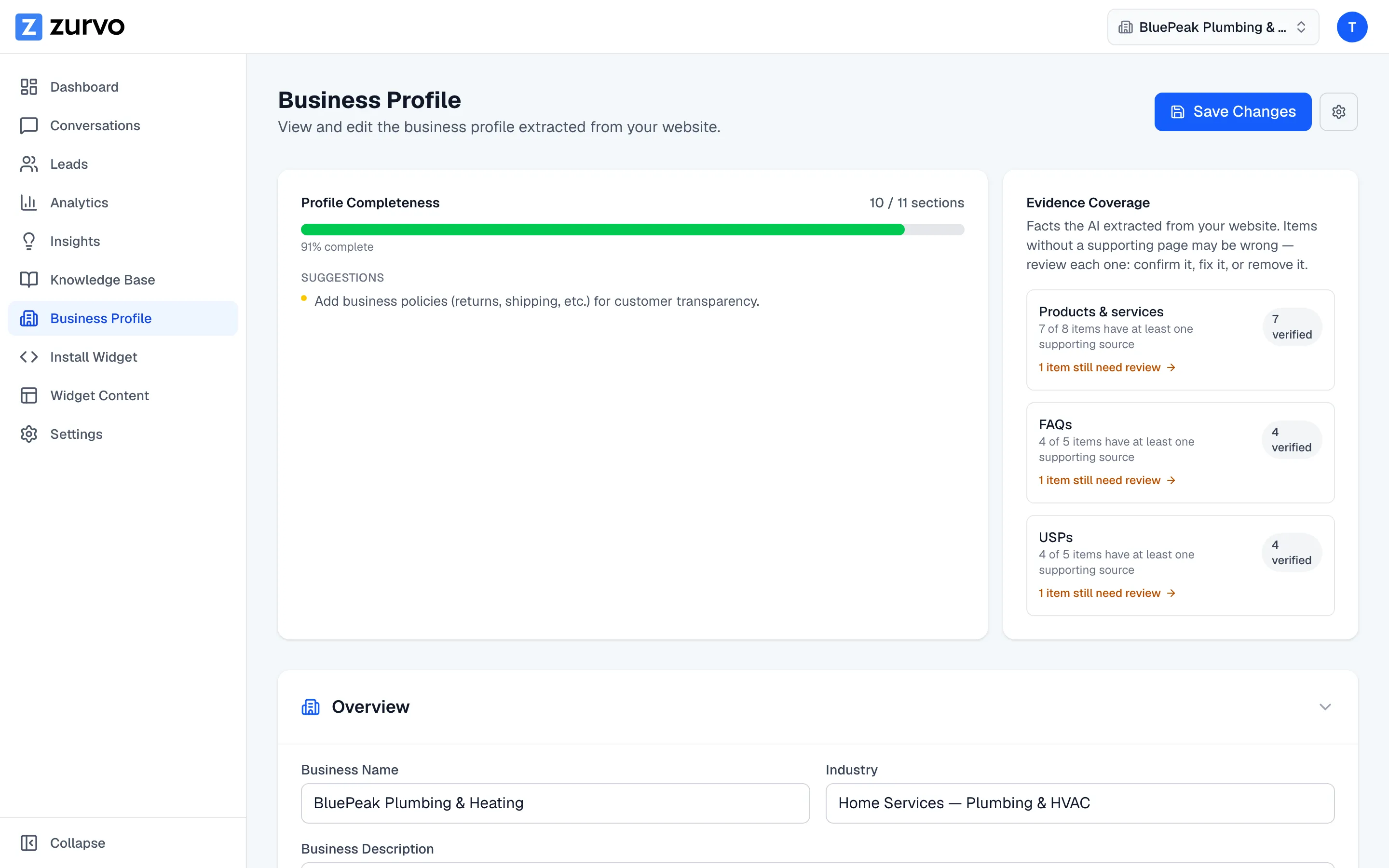
Zurvo builds a business profile from your content — what you do, your products, the basics a chatbot needs to represent you. See which facts are source-backed, then edit and approve.
- Derived from your own material, not a blank form
- Source-backed facts are marked
- You edit and approve before it goes live
Yours to maintain
Your edits survive re-crawls.
A knowledge base you can't hand-correct isn't really yours. Documents and articles you author are owner-editable and persist; re-crawling refreshes site-sourced pages without wiping the answers you wrote by hand.
- Hand-written answers to tricky questions stay put
- Auto re-crawl keeps site content fresh on a schedule
- Every page and file is listed with source, category, and status
The knowledge base is the product.
Zurvo’s chatbot answers from the content you give it — nothing else, which is what makes “live in days, not quarters” real: you don’t author from scratch, you point Zurvo at content you already have and it becomes the answerable material your chatbot draws from. The knowledge base powers everything — grounded answers, clean handoffs, useful insights, and a working customer self-service tool in days. Every plan includes it — see pricing.
It won’t connect to your live systems and it’s not a general web search — if a fact isn’t in the knowledge base, it isn’t answerable, so curation is the real work. Try it live with your help center URL and a few key documents, and watch Zurvo turn your content into a knowledge base.
Frequently asked questions.
How do I get my content into Zurvo?
Four ways: crawl your website, upload files (PDF, DOCX, PPTX, TXT, MD), paste text directly, or edit the business profile Zurvo builds automatically. Most companies start by crawling their site and uploading a few key documents.
How many pages will Zurvo crawl?
It depends on your plan. Crawl page limits scale by tier — from 100 pages on Launch up to 1,000 on Scale. The crawler prioritizes high-value pages first, so your most important content is ingested even if you hit a limit.
Does the crawler respect robots.txt?
Yes. Zurvo parses robots.txt and sitemaps, honors Disallow rules, and has SSRF protections so the crawler can't reach internal services. It's built to crawl the public web responsibly.
What happens to my edits when I re-crawl?
Documents and articles you write or edit by hand are owner-editable and survive re-crawls. Re-crawling refreshes the pages Zurvo pulled from your site; it doesn't overwrite content you authored yourself.
Can I see what my chatbot is actually using?
Yes. Every crawled page and uploaded document is listed with its source and status, so you can see exactly what's in the knowledge base, what's outdated, and what to add next.
Why does the knowledge base matter so much?
Zurvo's chatbot answers only from the content you give it, so the knowledge base is the single most important thing you build. A thin knowledge base produces a thin chatbot; a well-curated one handles real support volume. See how it gets used in Grounded AI. Because answers come only from what's in the knowledge base, curating it is how you control the bot — add content and it can answer more; leave a gap and it hands off instead of guessing.
What are the four ways to bring content in?
Crawl your website (help center, docs, product or policy pages, job-tracked with cancellable live progress); upload files (PDF manuals, DOCX playbooks, PPTX decks, TXT/MD notes); paste text for answers that only live in someone's head; and edit the auto-built business profile Zurvo derives from your material instead of configuring from a blank form.
How does the maintenance loop work?
Bring your knowledge in, the chatbot answers from it, it hands off where content is thin, and AI Insights surfaces the gaps where content is missing. Those gaps become your content backlog — you add or sharpen content and those questions get handled next time. Auto re-crawl keeps site-sourced content fresh on a schedule so your chatbot doesn't drift out of date.
What doesn't the knowledge base do?
It won't connect to your live systems — Zurvo answers from ingested content, not a real-time query against your order database or CRM, so a fact that isn't in the knowledge base isn't answerable. It's not a general web search: the crawler ingests your site and sites you point it at, not the open internet. And quality in, quality out — outdated or contradictory content produces outdated answers, so curation is the work Zurvo makes fast, not automatic.
Is my ingested content kept private?
Yes. Everything you ingest is isolated to your organization under Zurvo's per-tenant architecture, encrypted, and governed by roles and permissions so only the right people manage what the chatbot can draw from. Your content trains nothing outside your own account — see Security and Control.
Turn your website into your best support agent.
Train Zurvo on your content, answer customers with citations, and hand off to your team when it counts.
3-day free trial · Monthly or annual billing · Cancel anytime