
Lead Capture for Your Website Chatbot.
Lead capture detects contact details in conversation and adds a configurable proactive form, with pipeline statuses, CSV export, and AI conversation summaries.
3-day free trial · Monthly or annual billing · Cancel anytime
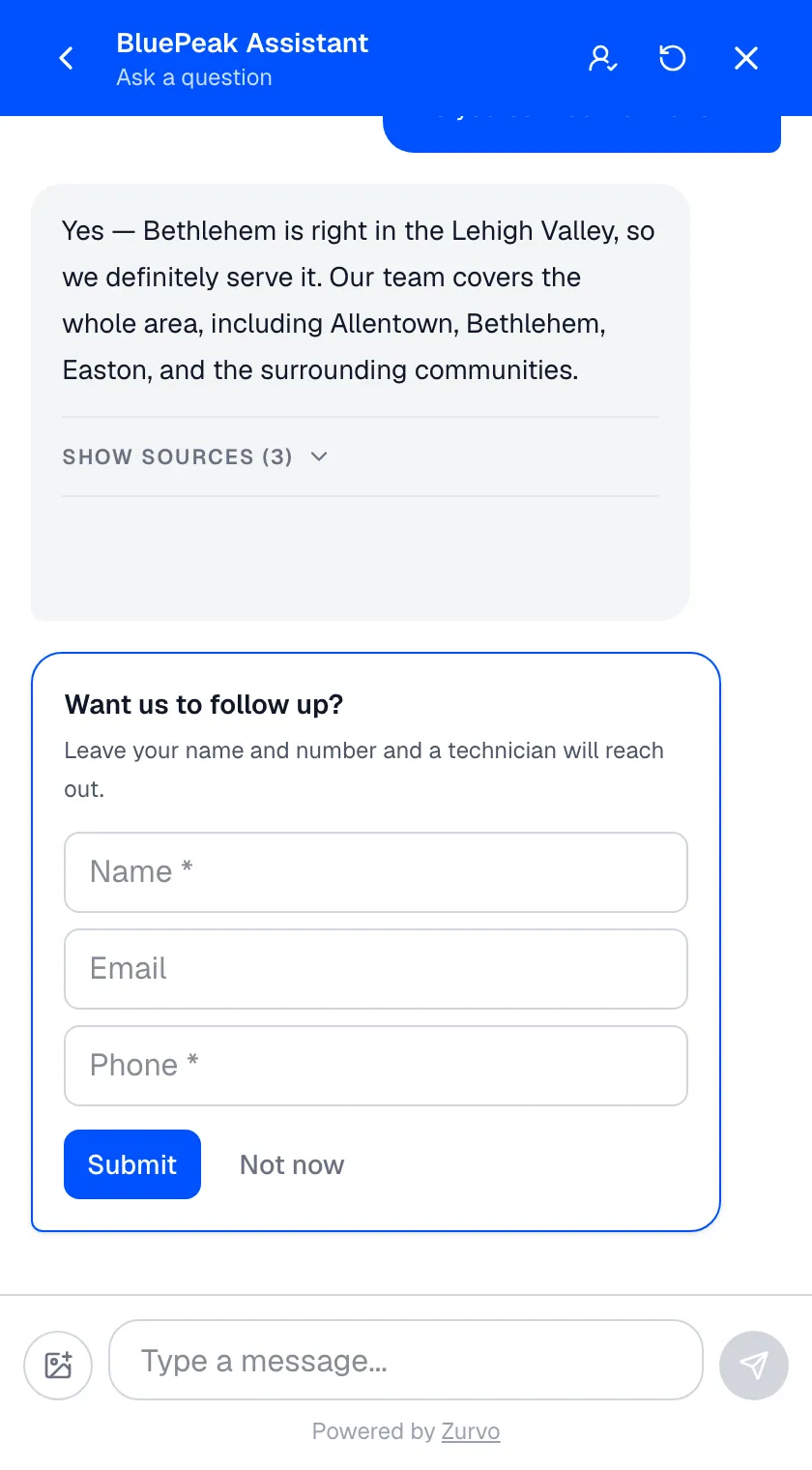
Auto-detection
Capture leads without asking.
When a visitor types their email or phone in the flow of chatting — "email me a quote at jordan@example.com" — Zurvo extracts it and creates a lead tagged to that conversation. The visitor did the natural thing; you captured the lead.
- Deduplicated and rate-limited, so you get clean leads not noise
- No form required for a visitor who's already sold
- Bulk-scan existing conversations to recover details you missed
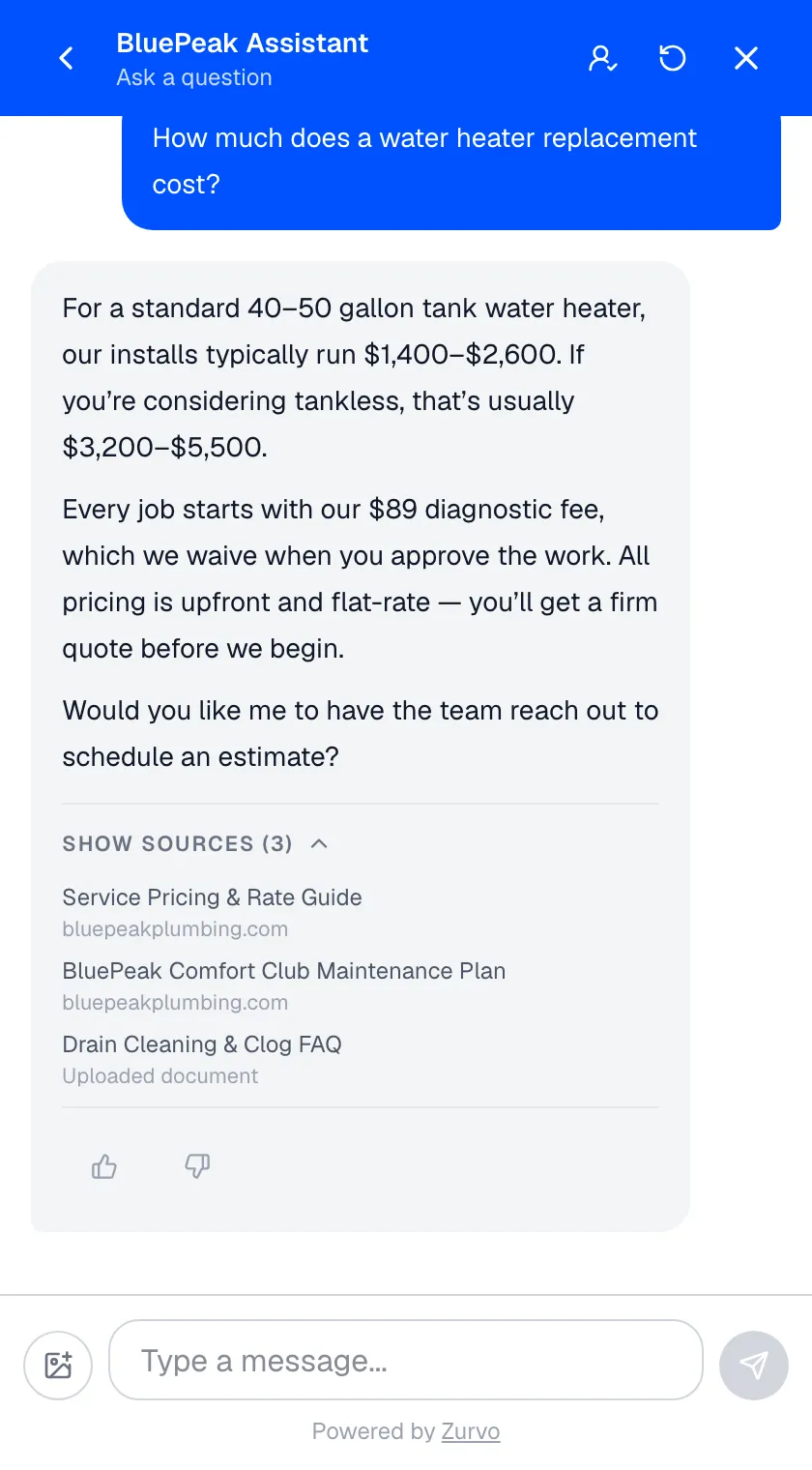
A proactive form you control
Ask at the moment you choose.
Sometimes you want to ask. Zurvo's inline lead form renders as a card in the chat thread, styled in your brand color so it feels native, and is fully owner-configurable per chatbot.
- Choose name, email, and phone fields — and which are required
- Set the title and subtitle to match your voice and offer
- Trigger immediately, after the first message, or after a few
Respectful by design
It never nags.
A form that pesters every visitor costs more goodwill than it captures. Zurvo's follows smart show rules and validates submissions on the server, so you get real leads without turning chat into a gauntlet.
- Never shows if disabled, if the visitor is identified, or if dismissed
- Those decisions are remembered for the conversation
- Requires an actual contact method and updates the visitor's identity
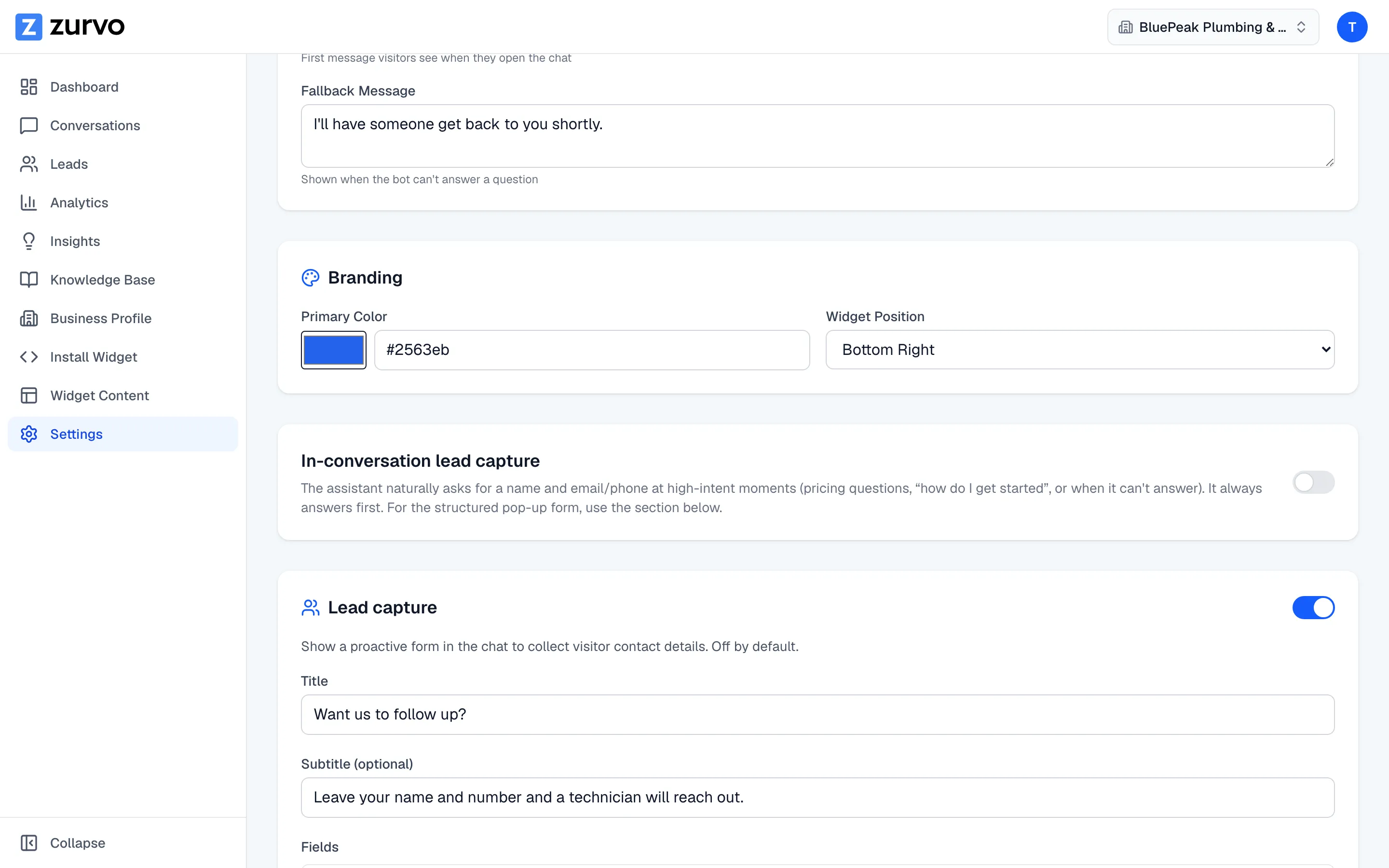
A pipeline, not just a list
Leads you can work and export.
Captured leads land in a dashboard built to be worked, not just viewed — with the context that makes follow-up convert.
- Move through new, contacted, qualified, converted, or lost
- Export name, email, phone, message, status, date to CSV
- Deep-link to the source chat and read an internal AI summary
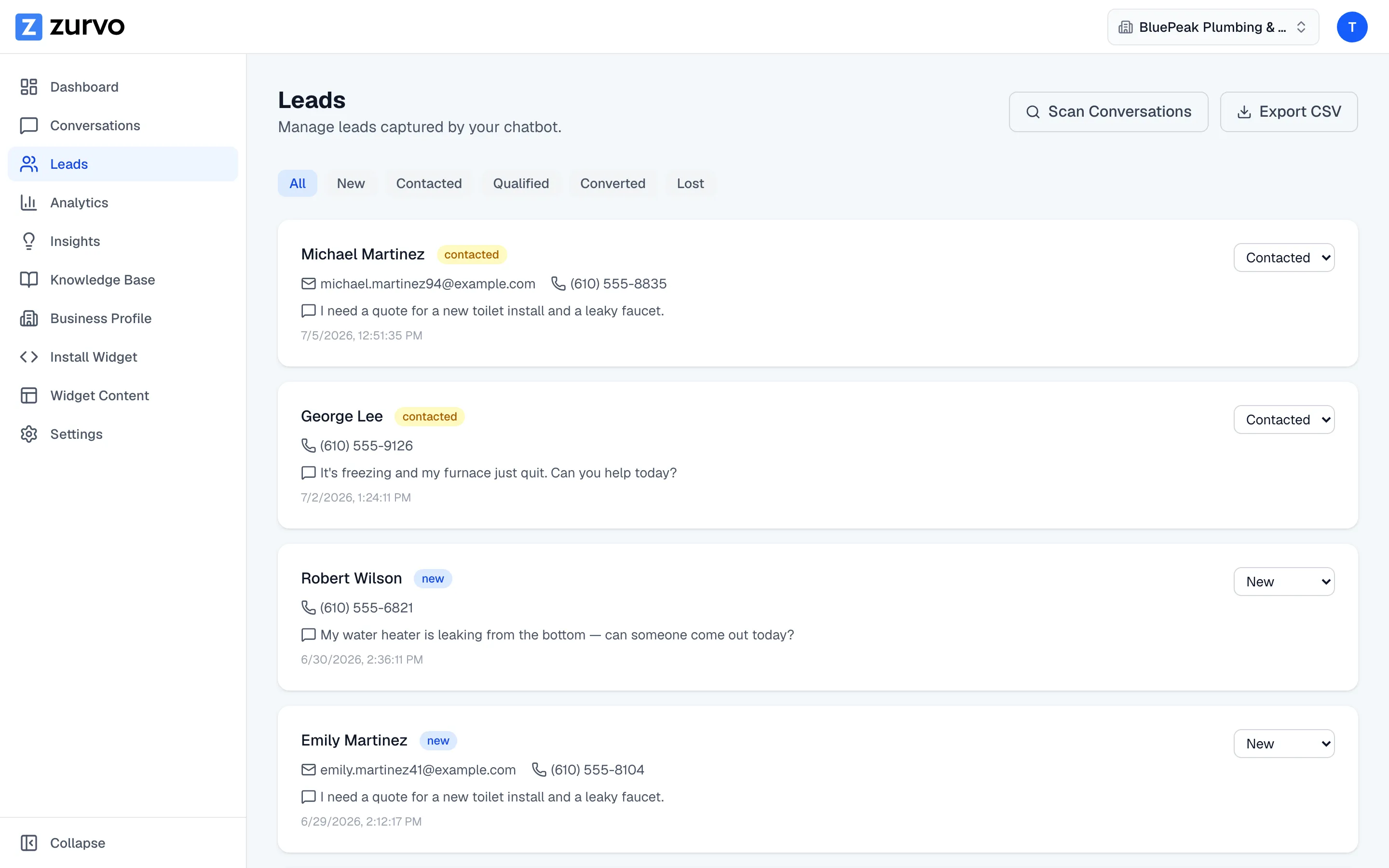
Stop losing the leads already talking to you.
A visitor who opens your chat and asks about your service is a lead, but most chatbots answer the question and let that person walk away anonymous. Zurvo’s lead capture works two ways at once — quietly watching for contact details a visitor shares, and presenting a proactive form at the moment you choose — so the visitor becomes a named lead in a pipeline your team can work. It rides on the same chat widget that answers questions from your content and hands off to your team: one conversation, doing three jobs.
Lead capture isn’t a full CRM — it captures, statuses, and exports leads for the tool that runs your sales cycle, and it won’t fabricate contact details. It’s included on every plan; see pricing. Try it live and see lead capture turn conversations into leads.
Frequently asked questions.
How does Zurvo capture a lead?
Two ways. It auto-detects contact details — email and phone — when a visitor shares them in conversation, and it can show a proactive form you configure. Both create a lead in your pipeline, deduplicated so the same visitor isn't captured twice.
Can I control the lead form?
Yes. The proactive form is owner-configurable per chatbot: set the title and subtitle, choose which fields (name, email, phone) show and which are required, and pick when it appears — immediately, after the first message, or after a set number of messages. It's disabled by default until you turn it on.
What can I do with captured leads?
Move each lead through a pipeline — new, contacted, qualified, converted, or lost — and export the whole list to CSV to use in your CRM or outreach tools. You can also jump from a lead straight to the conversation it came from.
Does the form annoy visitors who just want an answer?
It doesn't have to. The form respects smart rules: it never shows if it's disabled, if the visitor is already identified, or if they've dismissed or submitted it — and those choices are remembered for the conversation. You choose the trigger, so it can wait until a visitor is engaged.
What's the AI conversation summary?
When you open a lead, Zurvo can show an internal-only summary of the conversation it came from, so your team understands the context before reaching out — without reading the whole transcript.
Why capture leads in the chatbot at all?
A visitor who opens your chat and asks about your service is a lead — often warmer than anything a homepage form captures. Most chatbots answer the question and let that person walk away anonymous. Because lead capture is built into the same chatbot answering questions from your content (Grounded AI), it happens inside a genuinely helpful conversation instead of a pop-up that interrupts before you've earned it.
How does auto-detection work under the hood?
When a visitor types their email or phone in the course of chatting — 'can you email me a quote at jordan@example.com?' — Zurvo extracts it and creates a lead tagged to that conversation, no form required. It deduplicates and rate-limits so you get clean leads, not noise, and you can bulk-scan existing conversations to recover contact details you missed.
What happens when a lead submits the form?
Zurvo validates the input against your configuration on the server, requires an actual contact method, and updates the visitor's identity on the conversation — so a submission always produces a real, usable lead rather than empty or malformed data.
How does lead capture fit different kinds of buyers?
Auto-detection and the proactive form cover the two real cases: the visitor who's already sold mentions their email to get a quote and is captured without friction, while the visitor still deciding gets a form only after they've engaged. Because you control the trigger, copy, and required fields, you can match the ask to your funnel — which is what makes Zurvo useful for lead generation and qualification, not just contact collection.
What doesn't lead capture do?
It's not a full CRM — Zurvo captures, statuses, and exports leads, but doesn't run email sequences or manage a full sales cycle, so export to the tool that does. It won't fabricate contact details: auto-detection captures only what a visitor actually shares, which is why the proactive form exists. And no pushy dark patterns — the form is dismissible, remembered, and off until you enable it.
Turn your website into your best support agent.
Train Zurvo on your content, answer customers with citations, and hand off to your team when it counts.
3-day free trial · Monthly or annual billing · Cancel anytime