
From website to working AI agent in about 5 minutes
Point Zurvo at your content, watch it answer with citations, drop in one script tag, and let your team run it. Here is the whole setup, step by step.
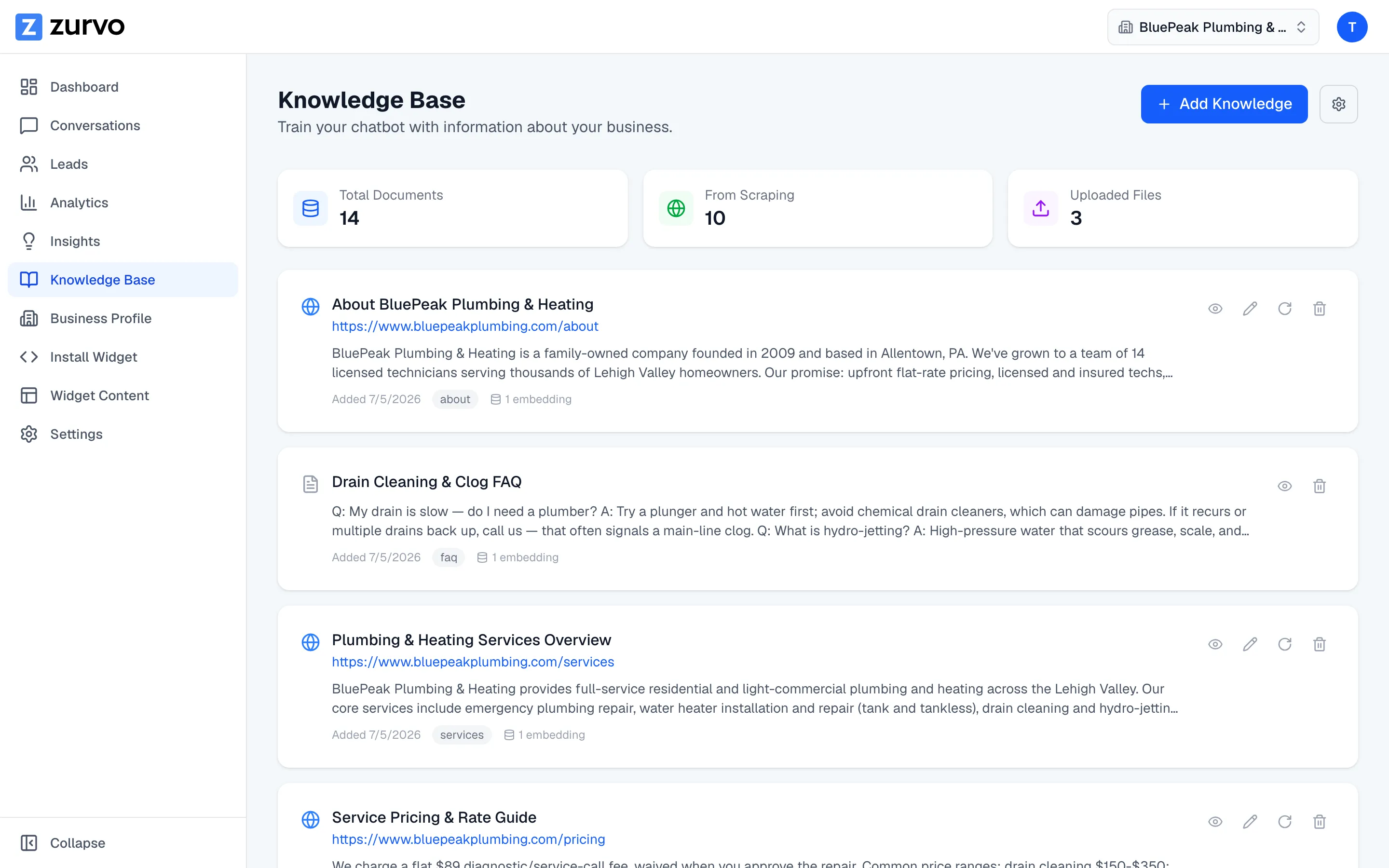
Point Zurvo at your website or upload your docs.
Give Zurvo a URL and it crawls your help center, product, and policy pages. Have the content in files? Upload your PDFs, DOCX, PPTX, TXT, and Markdown. This becomes the knowledge base your chatbot answers from — you decide what goes in.
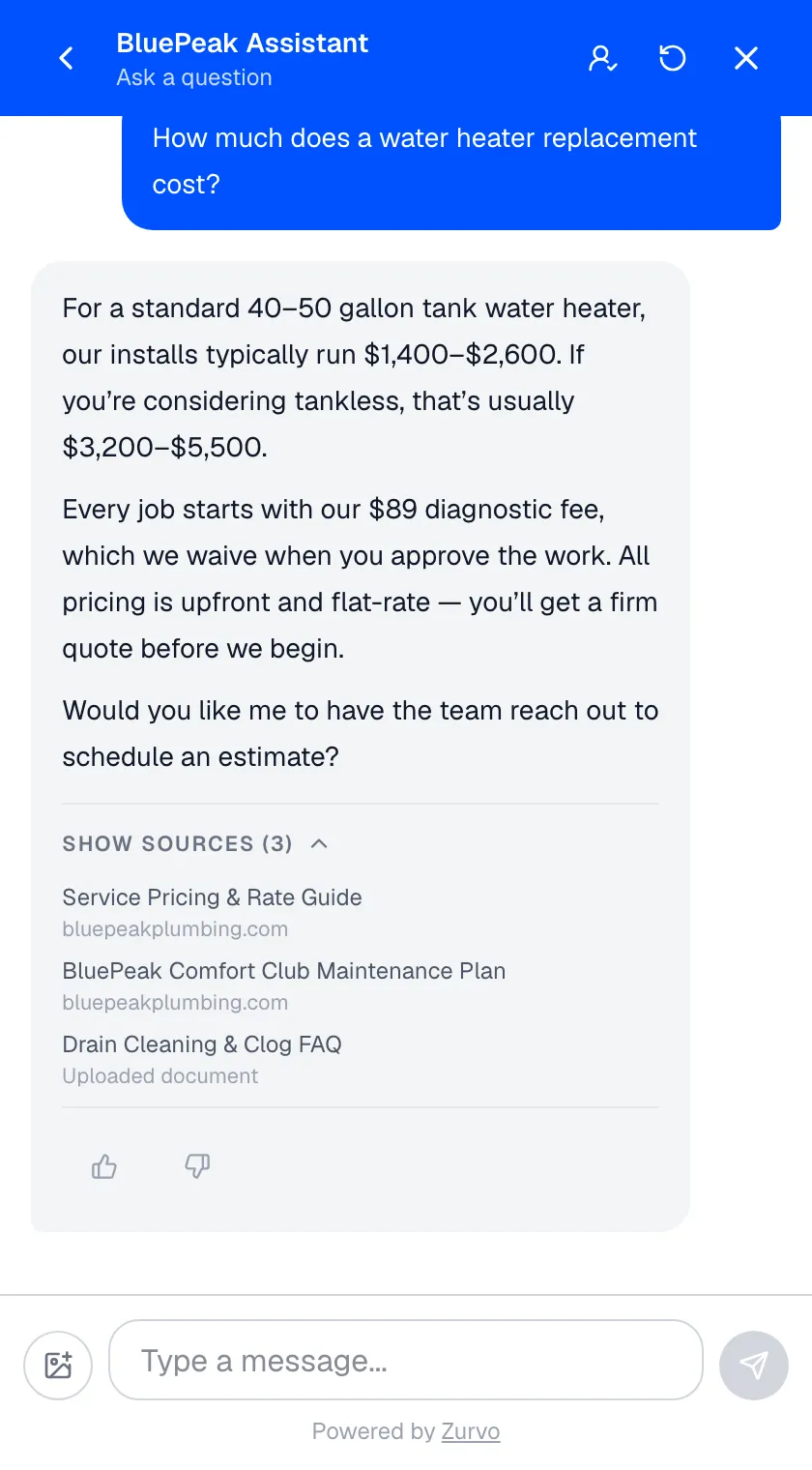
It answers with citations — and abstains when unsure.
When a visitor asks a question, Zurvo answers from your content and can show where the answer came from. When your content does not cover it, the chatbot does not guess — it says so and hands off to your team instead of making something up.
Install it with one script tag.
Copy one line of code and paste it into your website — the same way you would add an analytics snippet. No integration project, no developer required. The widget appears on your pages and starts answering.

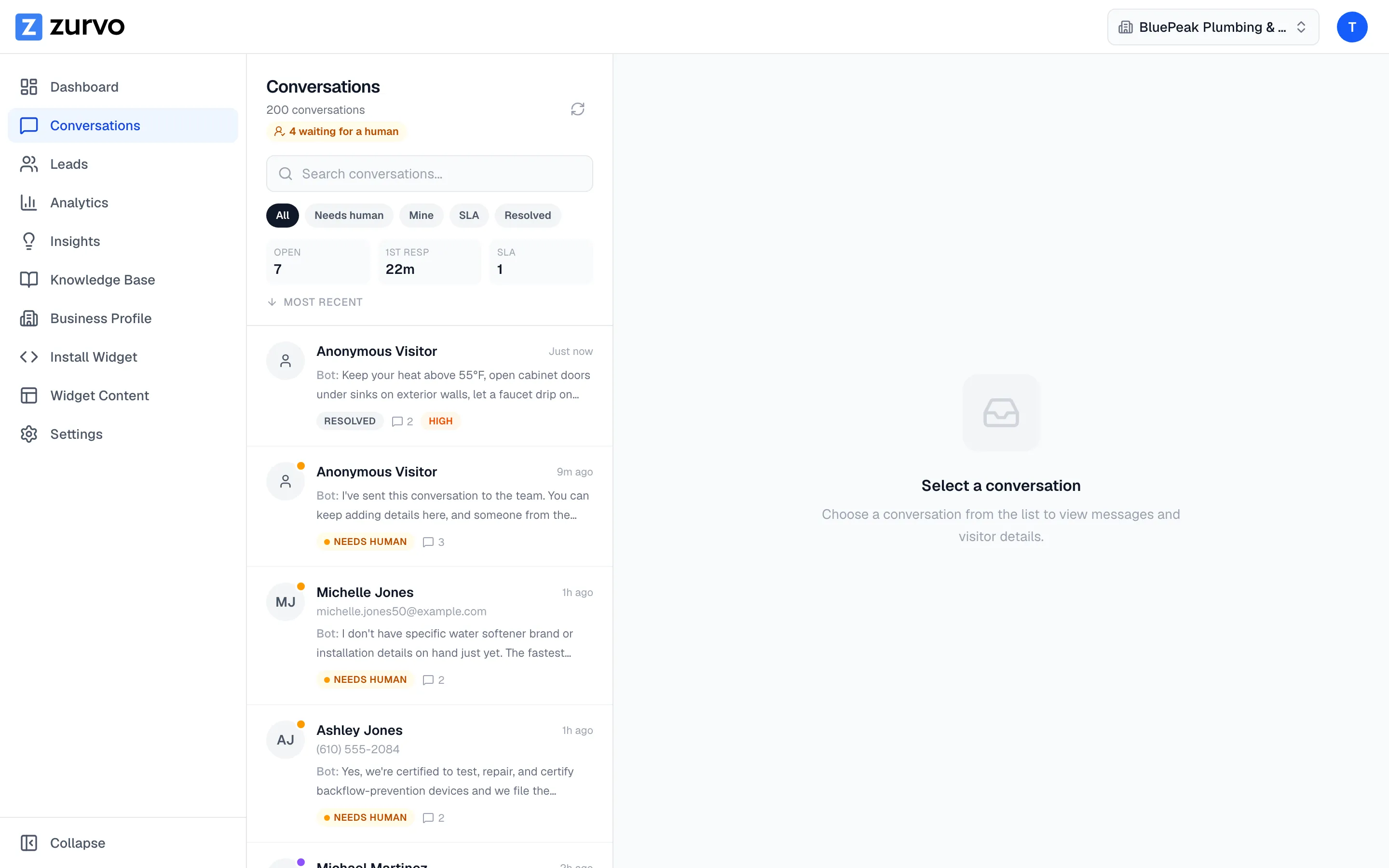
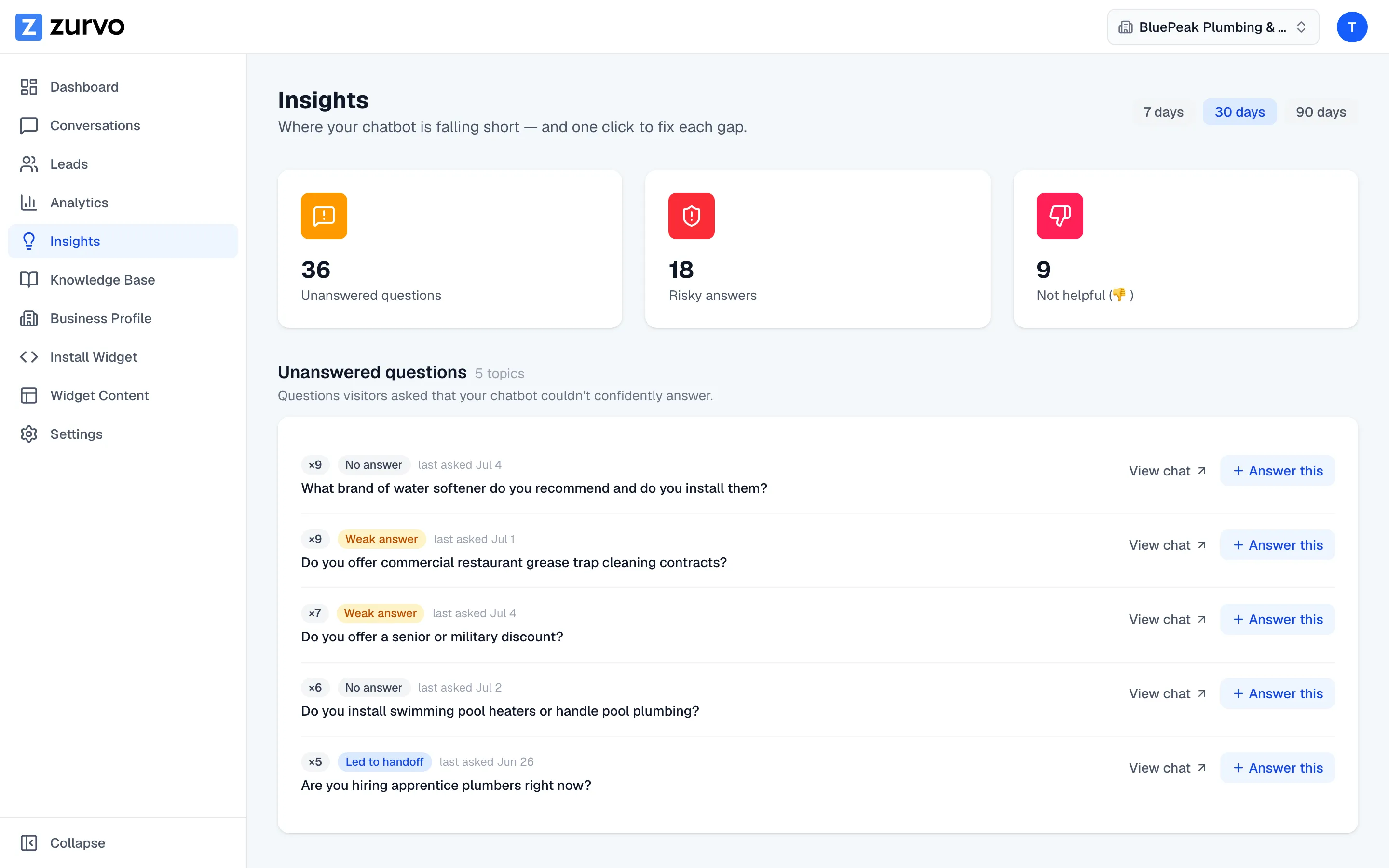
Your team runs it: inbox and insights.
Handed-off conversations land in a shared team inbox with context and AI summaries. And because every answer has a source and every handoff is recorded, AI Insights shows you where your content has gaps — so the chatbot keeps getting better.
Testimonials

“Zurvo's become a huge part of how we generate leads and handle customer service. It answers people day and night, even when we're closed, so we capture quote requests we used to miss. Most of my time now is just closing deals instead of answering the same questions on the phone.”

“I'm amazed how accurate the answers are. Zurvo handles the technical questions I used to spend hours on the phone with, then emails me the lead when someone needs a repair. It's saved me a ton of time and money.”
Questions about getting started.
Do I need a developer to set this up?
No. You point Zurvo at your website or upload your documents in the dashboard, and installing the widget is a single script tag you paste into your website — the same way you would add an analytics snippet. If you use a site builder or CMS, that is usually a copy-and-paste into a settings field.
What content can it learn from?
Your website — Zurvo crawls your help center, product pages, and policy pages — plus documents you upload: PDF, DOCX, PPTX, TXT, and Markdown files. The knowledge base is whatever you give it, and that is exactly what it answers from.
How do updates work when my content changes?
You can re-crawl your website so the knowledge base reflects your latest pages, and re-upload documents when they change. The chatbot answers from the current content, so keeping it current is a re-crawl, not a re-build.
What happens if it can’t answer a question?
It does not guess. When a question falls outside your content, Zurvo abstains and hands the conversation to your team with the full history and an AI-written summary, so a person can pick up where the customer is.
Does it work if a visitor writes in another language?
Yes. Zurvo replies in the language the visitor writes in — it detects the language from their message and answers in that same language, so a visitor who does not type in English still gets a useful answer. There is nothing to configure.
When do I see leads?
Zurvo can capture leads inside the chat and through a proactive form, and they show up in your dashboard as they come in — so a visitor who is ready to talk to your team does not slip away.
Your website already knows the answers.
Zurvo turns your content into an AI agent that answers customers, captures leads, and hands off to your team — live on your website in about 5 minutes. Free for 3 days.