Claim, assign, and set priority.
Make ownership clear on every conversation — claim one for yourself, reassign it (owners and admins), and flag urgency with low, normal, high, or urgent priority.
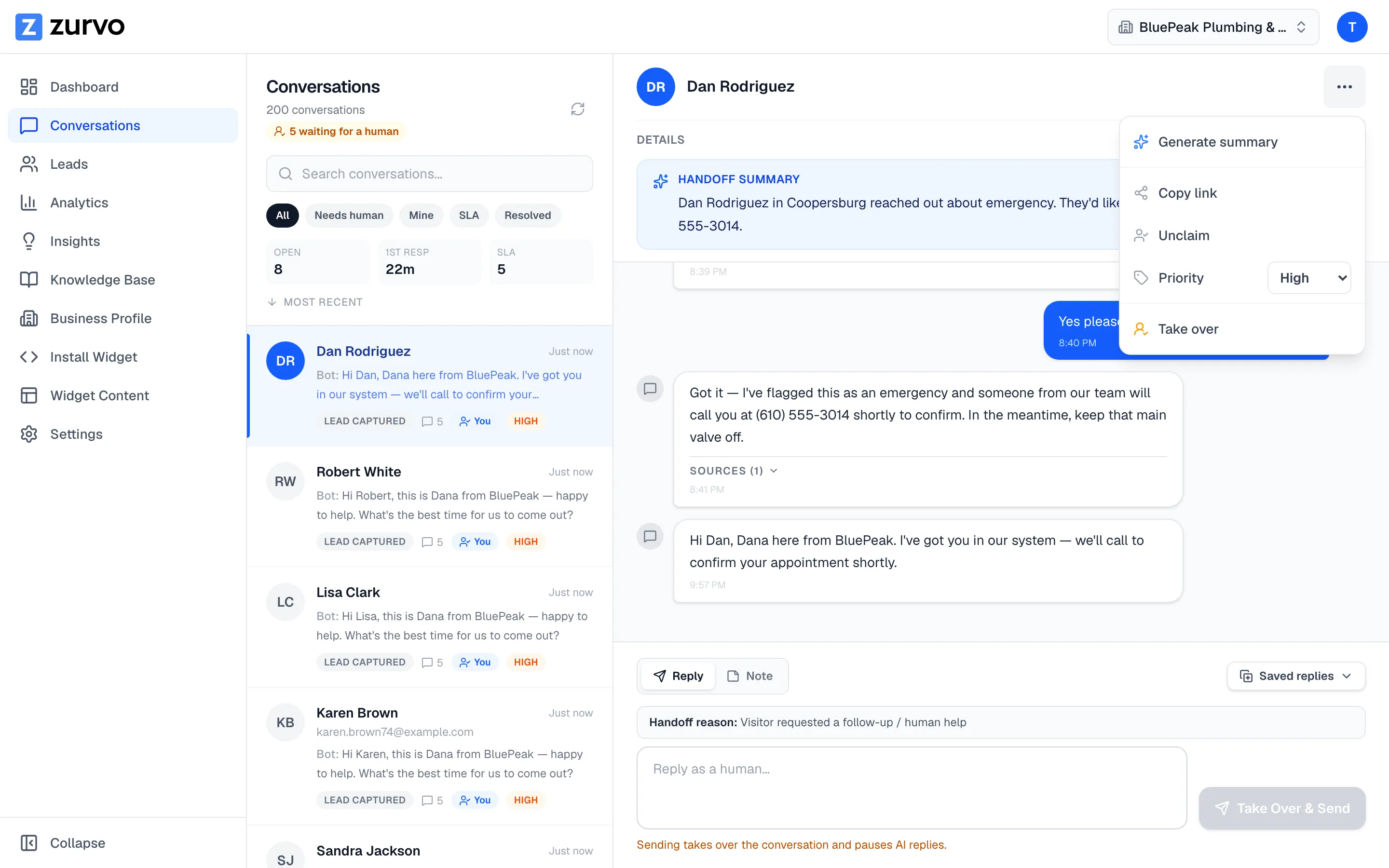
Clear ownership keeps a shared inbox from turning into a pile-up. Open a conversation and use the actions menu (the ⋯ button in the detail header) to claim it, hand it to a teammate, or flag how urgent it is.
Claim a conversation
In the actions menu, choose Claim to take a conversation for yourself. Once you own it, the same menu offers Unclaim to release it. Claiming assigns the conversation to you and moves it into your Mine queue, and an Assignee badge with your name appears on the conversation.
Assign to a teammate
If you’re an owner or admin, you can reassign a conversation that someone else owns — the menu shows Reassign to me when another teammate holds it. Assigning to a different person is limited to owners and admins; agents can claim and unclaim their own conversations but can’t hand work to others.
Zurvo checks that the person you assign is an active member of your organization before making the change.
Set priority
Use the Priority control in the actions menu to mark a conversation:
- Low
- Normal (the default — no badge)
- High — an orange badge
- Urgent — a red badge
Priority is a triage signal for your team. It shows as a colored badge on the conversation in the list so anyone scanning the inbox can see what needs attention first.
Who can do what
Claiming, assigning, and setting priority are available to owners, admins, and agents — anyone who can reply to conversations. Assigning to another teammate is reserved for owners and admins.
With ownership set, you’re ready to reply as a human.