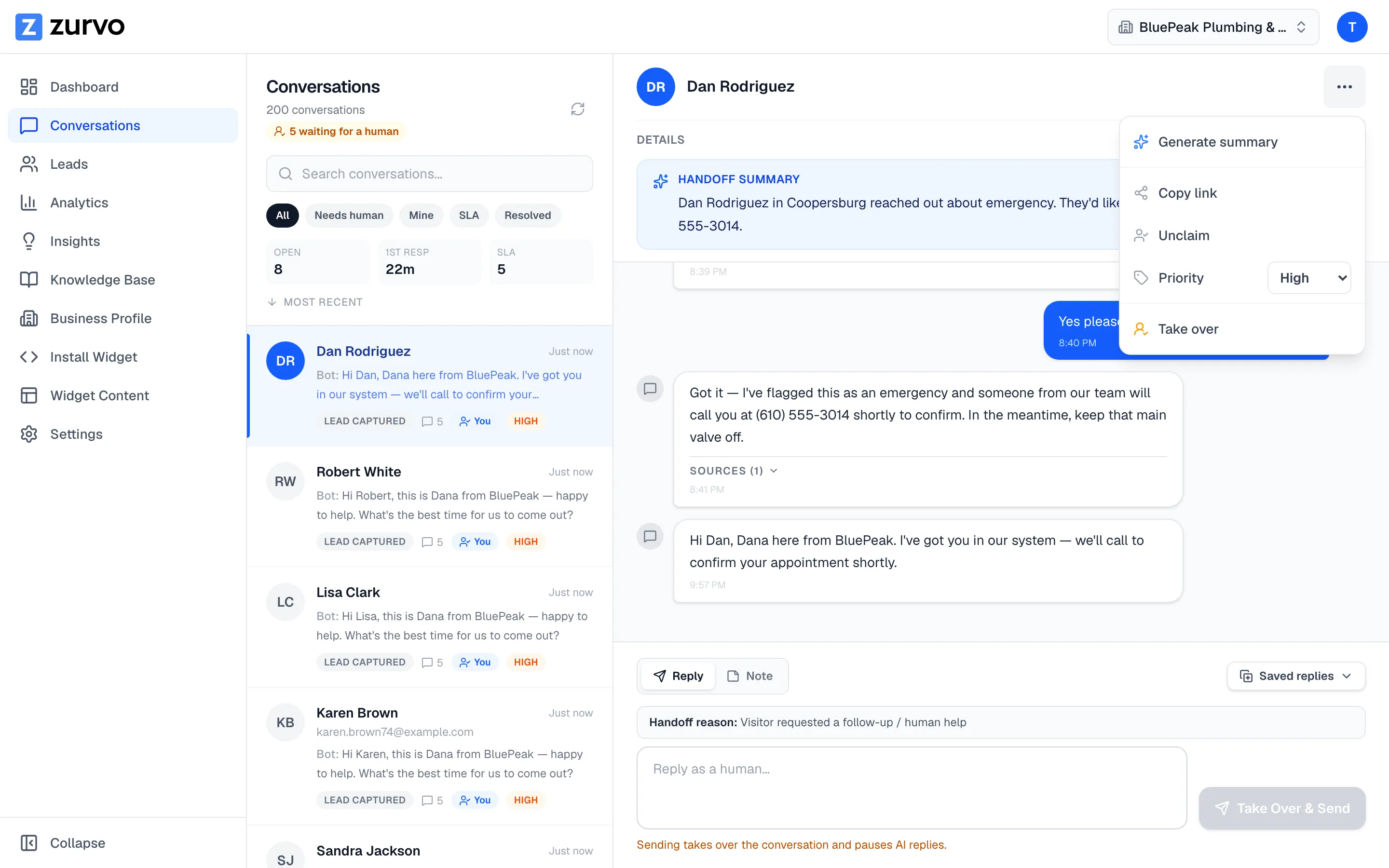
Move a conversation through its status.
Drive a conversation from Take over to Waiting on visitor to Resolved, and reopen a resolved chat when the visitor comes back.
Conversation status keeps your team’s shared view accurate — it tells everyone whether the AI is handling a chat, a person has stepped in, you’re waiting on the visitor, or it’s done. Drive status from the actions menu (the ⋯ button) in the conversation header.
Take over
While the AI is handling a conversation, choose Take over to move it to Human active. This claims the conversation for you and pauses the AI so the bot stops replying. (Sending a human reply does the same thing automatically — Take over is for when you want to grab control before you start typing.)
Waiting on visitor
Once you’re handling a conversation, use Mark waiting on visitor to set the status to Waiting on visitor. It signals that the ball is in the visitor’s court — you’ve replied and you’re waiting for them.
Resolve
When the issue is handled, choose Resolve. The conversation moves to Resolved. Resolved conversations drop out of the active queues and into the Resolved filter, and the composer switches to a “Conversation resolved” state.
Reopen
If a visitor comes back or the issue isn’t actually done, open the resolved conversation and choose Reopen (also available as a button in the composer area). Reopening returns the conversation to the Needs human queue and re-enables the reply composer so you can pick up where you left off.
The typical flow
A handoff usually runs: Take over → (reply back and forth) → Waiting on visitor → Resolve. Reopen any time a resolved conversation needs another round.
To understand how conversations get into the handoff queue in the first place, see how human handoff works.