Reply as a human.
Jump into any conversation and reply as a person — the composer takes over from the AI, auto-claims the chat, and records your first response time for SLA tracking.
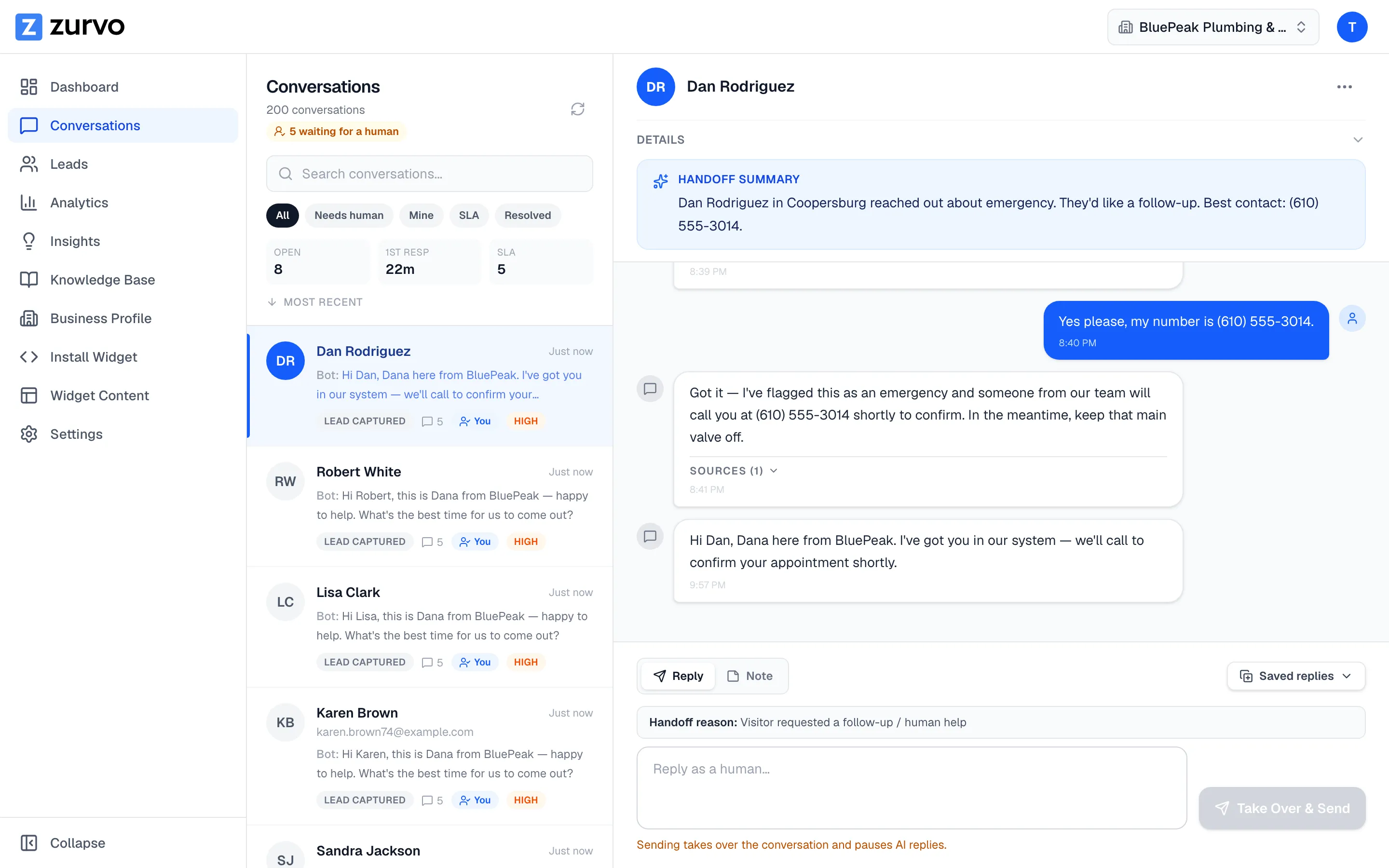
When a visitor needs a person, you can step in and reply as a human right from the conversation thread. The composer sits at the bottom of the open conversation.
Send a reply
- Open the conversation and make sure the Reply tab is selected in the composer.
- Type your message. You can insert a saved reply from the Saved replies dropdown to start faster.
- Click Send (or press Cmd/Ctrl + Enter).
If no one is handling the conversation yet, the send button reads Take Over & Send — a reminder that replying pauses the AI and hands the chat to you.
Replying auto-claims the conversation
You don’t need to claim a conversation before answering. Sending a human reply:
- Claims the conversation for you if it’s unclaimed.
- Moves the status to Human active, which pauses the AI so the bot and a person aren’t both replying.
- Records your first response time, which feeds the SLA and handoff analytics.
When someone else owns the conversation
If a conversation is already assigned to a different teammate, Zurvo won’t let you reply over them by accident — you’ll see a message that the conversation is assigned to another teammate. To reply, either claim it yourself first, or (as an owner or admin) reassign it to you. This keeps two people from talking to the same visitor at once.
First-reply timing matters
The moment you send your first human reply is stamped as the conversation’s first response. That timestamp is what the SLA queue and the handoff scorecard measure against your first-response target — so a prompt first reply keeps a conversation out of the breached-SLA queue.
Once you’ve handled the visitor, move the conversation through its status workflow to keep everyone’s view accurate.