
Customer Support Chatbot.
A customer support chatbot answers your customers 24/7, deflects repetitive questions, captures leads, and hands off to your team when someone needs a person.
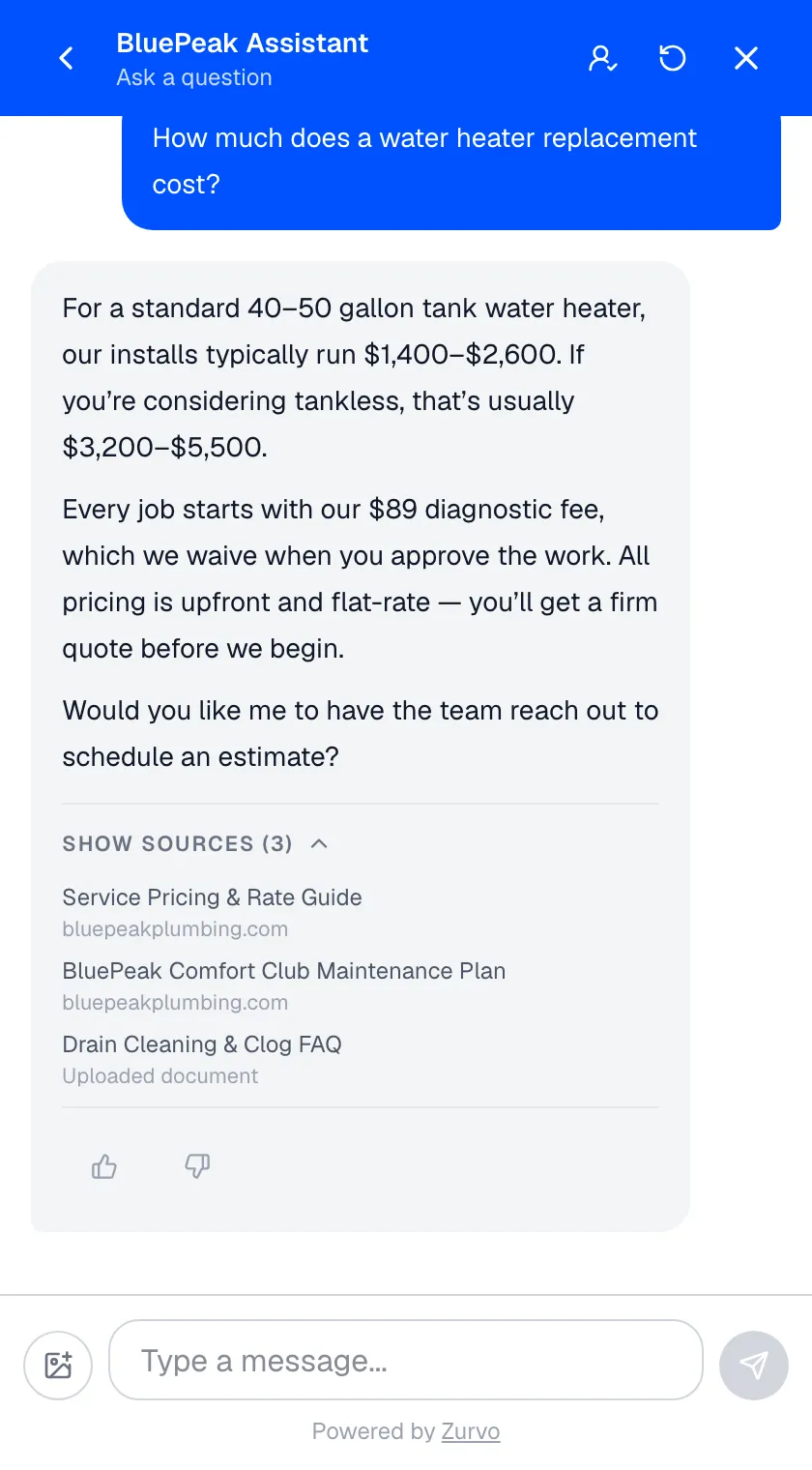
A customer support chatbot is an AI assistant embedded on your website that answers customer questions automatically, around the clock. It draws its answers from your own business content, captures leads from the conversation, and hands off to your team when someone needs a person — so customers get instant help and your team spends less time repeating itself.
Zurvo is a customer support chatbot built exactly this way. This page covers what a customer support chatbot does for your business, how Zurvo’s works, how to add one, and what it costs.
What a customer support chatbot does for you.
- Answers customers 24/7. Every visitor gets an instant reply, day or night, in any time zone — no queue, no waiting for business hours.
- Deflects repetitive questions. Hours, pricing, policies, how-tos — the chatbot handles the high-volume questions that eat your team’s day, so they focus on the conversations that need judgment.
- Captures more leads. When a visitor shares an email or phone number, the chatbot saves it as a lead automatically — so browsing traffic turns into people you can follow up with.
- Hands off to your team. When a conversation needs a person, it moves to your shared inbox with the full history and an AI summary, so nobody starts from scratch.
The result is faster answers for customers, fewer repetitive tickets for your team, and more of your traffic turning into business.
How Zurvo’s customer support chatbot works.
- It knows your business. Zurvo trains on your website and documents, so answers reflect your real services, pricing, and policies — not generic, off-brand replies. See how it learns your content.
- It captures leads as it chats. Contact details a visitor shares get saved to your Leads list, with the conversation attached for context.
- It brings in your team when it matters. Conversations route to your team inbox with transcript and summary, so the handoff is seamless.
- It gets more useful over time. Every handoff flags a question your content doesn’t cover yet; AI Insights turn those into a short list of gaps to close, so each fix deflects the next wave.
How to add the chatbot to your site.
- Give it knowledge. Crawl your website (100 to 1,000 pages by plan) or upload help articles, policies, and FAQs. Zurvo builds a business profile automatically and re-crawls to stay current.
- Embed it. Paste one chat widget snippet. The chatbot appears on your site in your brand’s tone, customizable to match your design.
- Let it work. Customers get instant answers, leads land in your dashboard, and conversations that need a person reach your team with full context.
Making the chatbot feel like part of your product.
A chatbot that looks bolted on gets ignored; one that feels native gets used. Zurvo answers in your brand’s voice, and the widget can be tuned to match your site. Beyond the chat itself, it can present a help center for browsing and a news feed for announcements — so the same surface serves the customer who wants to ask, the one who wants to read, and the one catching up on what changed. See the chat widget feature for the options.
What it costs to run.
A customer support chatbot shouldn’t require a procurement process to try. Zurvo is priced by message volume, monthly or annual (annual saves 20%): Launch at $39 for 500 messages, Growth at $89 for 3,000, and Scale at $179 for 12,000 — and every plan includes a 3-day trial. So you can put the chatbot on your own site, feed it your real content, and watch how it answers your real questions before you commit. Crawl limits scale with the plan, so the knowledge the chatbot can hold grows with you. See pricing for the full comparison.
An honest note on limits.
Zurvo’s chatbot answers questions, captures leads, and routes conversations. It is not a general-purpose agent that acts on your backend — it won’t process a refund or change an order itself; it captures the request and passes it to your team. How well it answers depends on the content you give it. The platform isolates data per tenant with encryption, role-based access, and audit logs, but does not currently hold SOC 2 or HIPAA certification — those are roadmap items, described plainly on security and control.
Where a customer support chatbot fits best.
- Websites with steady volumes of repetitive, documented questions.
- Teams that want self-service around the clock without staffing a night shift.
- Businesses that want to turn more website visitors into leads while they answer.
Related reading: customer support bot, customer support chatbot for ecommerce, and ai agents for customer service.
The bottom line.
A customer support chatbot earns its place by answering customers instantly, taking repetitive work off your team, and capturing the leads you’d otherwise miss — then handing off cleanly when a person is needed. That’s what Zurvo is built to do.
See how it works, check pricing, or try it live to watch the chatbot answer on your own content.