
Customer Support Bot.
A customer support bot answers questions automatically from your knowledge base, shows its sources, and hands off to a human agent when it can't help.
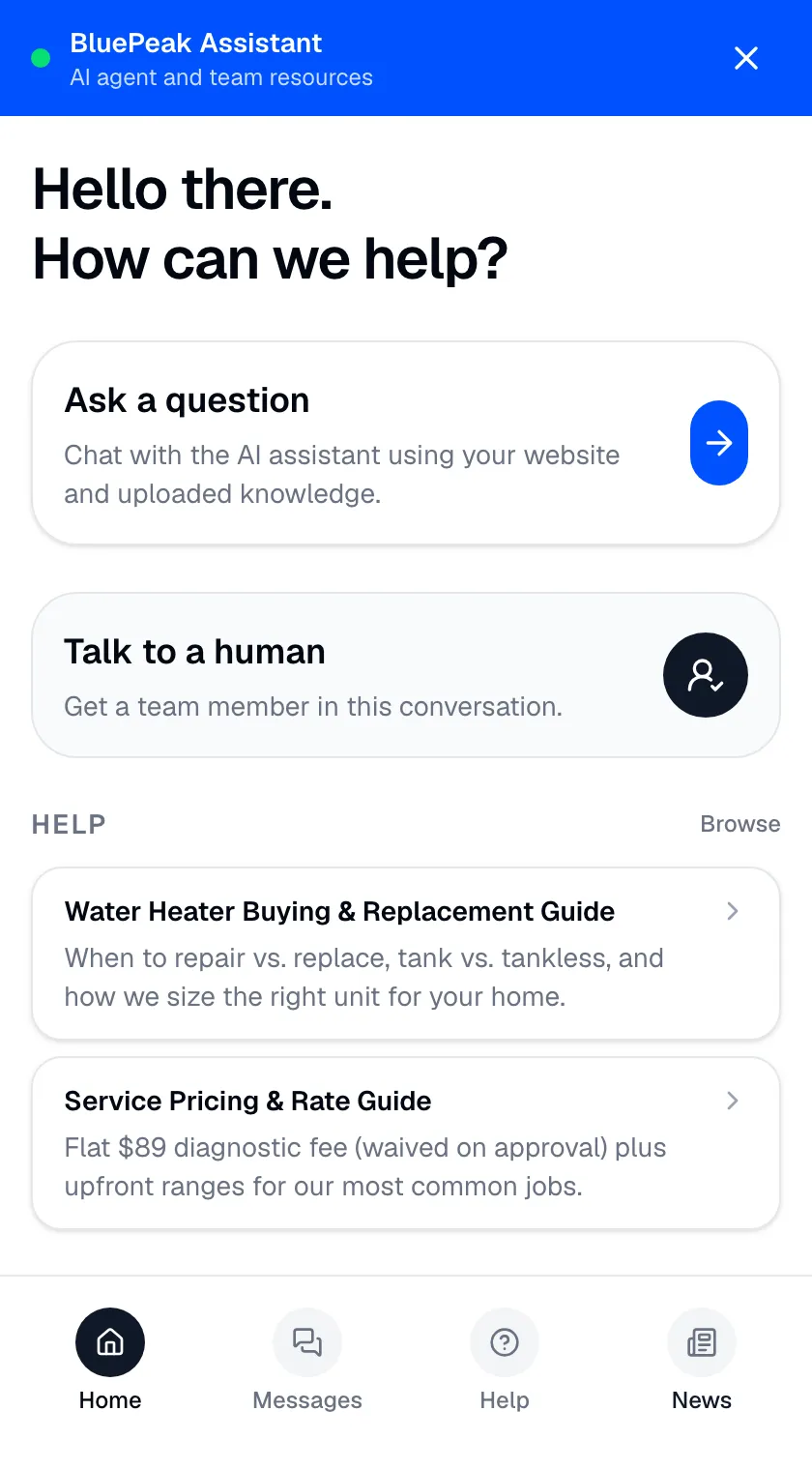
A customer support bot is an AI agent that answers inbound customer questions automatically, drawing from your own approved knowledge base, showing the source behind each response, and escalating to a human when it can’t help. It deflects the repetitive volume that fills most support queues so your team can focus on the cases that genuinely need a person. This page is the practical, get-it-live angle — what a good support bot does and how quickly you can stand one up.
Zurvo is a customer support bot that answers from your content, shows the source behind each reply, and hands off to a person when your content doesn’t cover the question. The emphasis here is simplicity: a capable bot on your site without a scripting project.
What a good support bot does.
The word “bot” carries baggage — years of keyword-matching chatbots that couldn’t understand a question and dumped everyone into a menu. A good support bot today is a different thing entirely. It understands the customer’s question, finds the answer in your content, and responds in plain language. When it doesn’t know, it says so and connects the customer to a human rather than guessing or dead-ending them.
Three things separate a support bot worth deploying from one that annoys your customers: it answers from your content (not improvisation), it shows where the answer came from, and it hands off cleanly when it can’t help. Zurvo does all three by default — see grounded AI answers for the engine behind it.
Live in days, not a scripting project.
The old way to build a support bot was to script every expected question and its canned reply — weeks of work that broke the first time a customer phrased something differently. Zurvo skips that entirely:
- Give the bot knowledge. Crawl your website (100 to 1,000 pages by plan) or upload help articles, policies, and FAQs in PDF, DOCX, PPTX, TXT, or Markdown. Zurvo builds a business profile automatically.
- Embed it. Paste one chat widget snippet onto your site, help center, or app. That’s the install.
- Let it answer. The bot answers customer questions instantly, any hour, in your brand’s tone, with the source attached.
- Hand off when needed. When the bot can’t help, the conversation routes to your team inbox with the transcript and an AI summary.
No decision trees, no data pipeline. Most teams are answering real questions within days.
Keeping the bot accurate over time.
A support bot’s answers are only as good as the content behind them. Zurvo re-crawls your site on a schedule so the bot stays current as your policies and products change, and AI Insights surface the questions the bot couldn’t answer so you know exactly what content to add. Over time the bot deflects more not because it got cleverer, but because your knowledge got more complete. Analytics show what the bot handled and where it handed off.
More than a chat box: the widget hub.
A support bot doesn’t have to be a bare chat window. Zurvo’s widget can be a small hub that combines the AI chat with a help center your customers can browse, a news feed for announcements, and even a photo-upload flow where customers attach an image and the bot uses AI vision to help. A shopper can ask a question, skim a relevant article, or send a screenshot of an error — all in the same widget. That range means the bot deflects more, because customers who prefer to browse or show rather than type still get an answer without opening a ticket. You choose which of these surfaces to enable; the chat widget feature covers the options.
An honest note on limits.
Zurvo’s bot answers questions and routes conversations. It is not a general-purpose agent that acts on your systems — it won’t process a refund or change an order itself, though it routes those to a human. Its accuracy depends on your content. The platform isolates data per tenant with encryption, RBAC, and audit logs, but does not currently hold SOC 2 or HIPAA certification — those are roadmap items, described plainly on security and control.
A word on tone and trust.
A support bot represents your brand in the moment a customer is often already frustrated. Two things protect that trust. First, the bot answers in your voice, not a generic robotic register, so the interaction feels like your company rather than a bolted-on widget. Second, and more important, it doesn’t overpromise: when it can’t help, it says so plainly and gets a person, instead of stalling with vague non-answers that waste the customer’s time. Customers forgive a bot that hands them to a human quickly; they don’t forgive one that pretends to help while going in circles. Zurvo’s default behavior — answer confidently from your content, abstain honestly when it can’t — is the behavior that keeps a support bot from becoming the thing customers complain about.
Where a support bot fits best.
- Teams that want a capable bot live quickly, without scripting.
- Support queues dominated by repetitive, documented questions.
- Businesses that want a bot they can trust to abstain rather than guess.
Related reading: customer support chatbot, ai agents for customer service, and customer support automation.
The bottom line.
A modern support bot isn’t a scripted menu — it’s an agent that answers from your content, shows its sources, and hands off when it can’t help. Zurvo gets one live on your site in days.
See how it works, check pricing — plans from $39/mo with a 3-day trial — or try it live to see the bot answer on your own content.