Manage your plan.
View your plan and month-to-date usage on the Billing page, start a plan through Stripe checkout, and switch tiers through the billing portal.
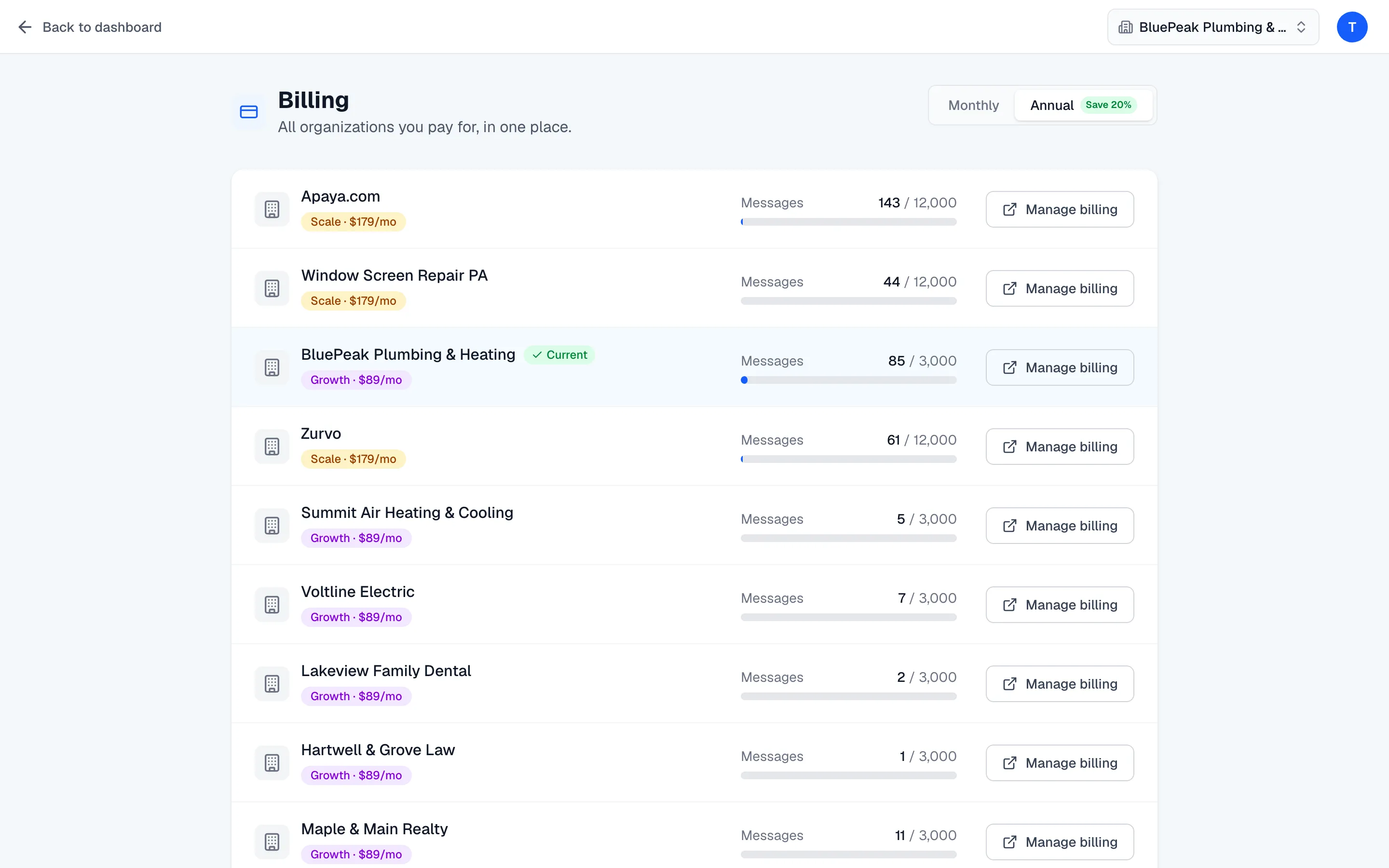
Your plan lives on the Billing page, reached from the account menu (your avatar, top-right). It lists every organization you pay for in one place, each with its plan, month-to-date message usage, and a billing action. Managing billing is owner-only.
View your plan and usage
Each organization row shows:
- Its plan badge — Launch, Growth, or Scale — and the price, including “billed annually” when it’s on annual billing.
- A Messages meter showing how many of this month’s allowance you’ve used against your plan’s limit. The bar turns yellow as you approach the limit and red when you’re nearly out.
- A billing action — Upgrade or Manage billing.
Your Current organization is highlighted so you can tell it apart from the others.
Start a plan
An organization without an active plan shows an Upgrade button. There’s a Monthly / Annual toggle at the top of the page — annual is preselected and saves 20%. Click Upgrade and Zurvo hands you to Stripe checkout to start your 3-day free trial and enter your payment details. When checkout completes, the organization’s chatbot comes out of the paused state and can answer visitors.
Switch tiers
An organization already on a plan shows Manage billing, which opens the Stripe billing portal. From the portal you can change your plan up or down, update your payment method, and view invoices. Changes made in the portal sync back to Zurvo automatically.
What changes per tier
Each tier sets your monthly message allowance and how many pages Zurvo can index from your website:
| Plan | Price / month | Messages / month | Pages indexed |
|---|---|---|---|
| Launch | $39 | 500 | 100 |
| Growth (Popular) | $89 | 3,000 | 300 |
| Scale | $179 | 12,000 | 1,000 |
Higher tiers also raise the number of chatbots and add capabilities like advanced analytics and custom branding. For the full breakdown of plans, annual pricing, and the trial, see Plans, limits, and the free trial.