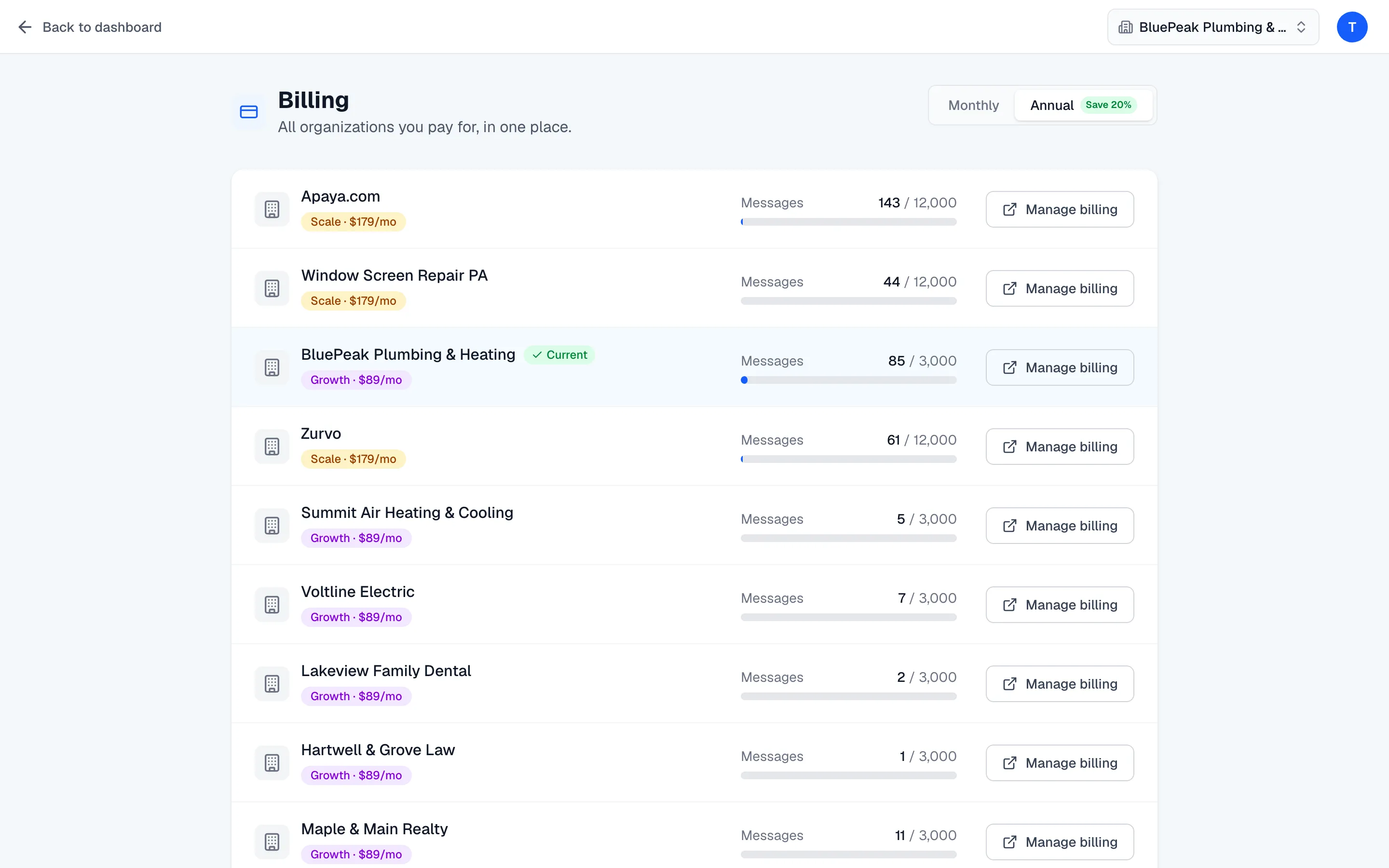
Update payment details and find invoices.
Open the Stripe billing portal from the Billing page to update your card, download invoices, change your plan, and manage your subscription.
Zurvo handles all payments through Stripe. Your card details, invoices, and receipts live in Stripe’s secure billing portal, which you open from the Billing page. Managing billing is owner-only.
Open the billing portal
- Go to the Billing page from the account menu (your avatar, top-right).
- Find the organization you want to manage.
- Click Manage billing on its row.
Zurvo creates a portal session and sends you to Stripe. Manage billing appears for organizations that are on a paid plan — an organization that hasn’t started a plan yet shows Upgrade instead, which opens checkout.
What you can do in the portal
Inside the Stripe billing portal you can:
- Update your payment method — add or replace the card on file.
- View and download invoices — every charge, with a downloadable receipt.
- Change your plan — move between tiers or switch billing interval.
- Manage your subscription — including cancellation.
Anything you change in the portal syncs back to Zurvo automatically, so your plan and usage limits stay in step. When you’re done, the portal returns you to Zurvo.
If a payment ever fails, see What happens if a payment fails for how to resolve it.