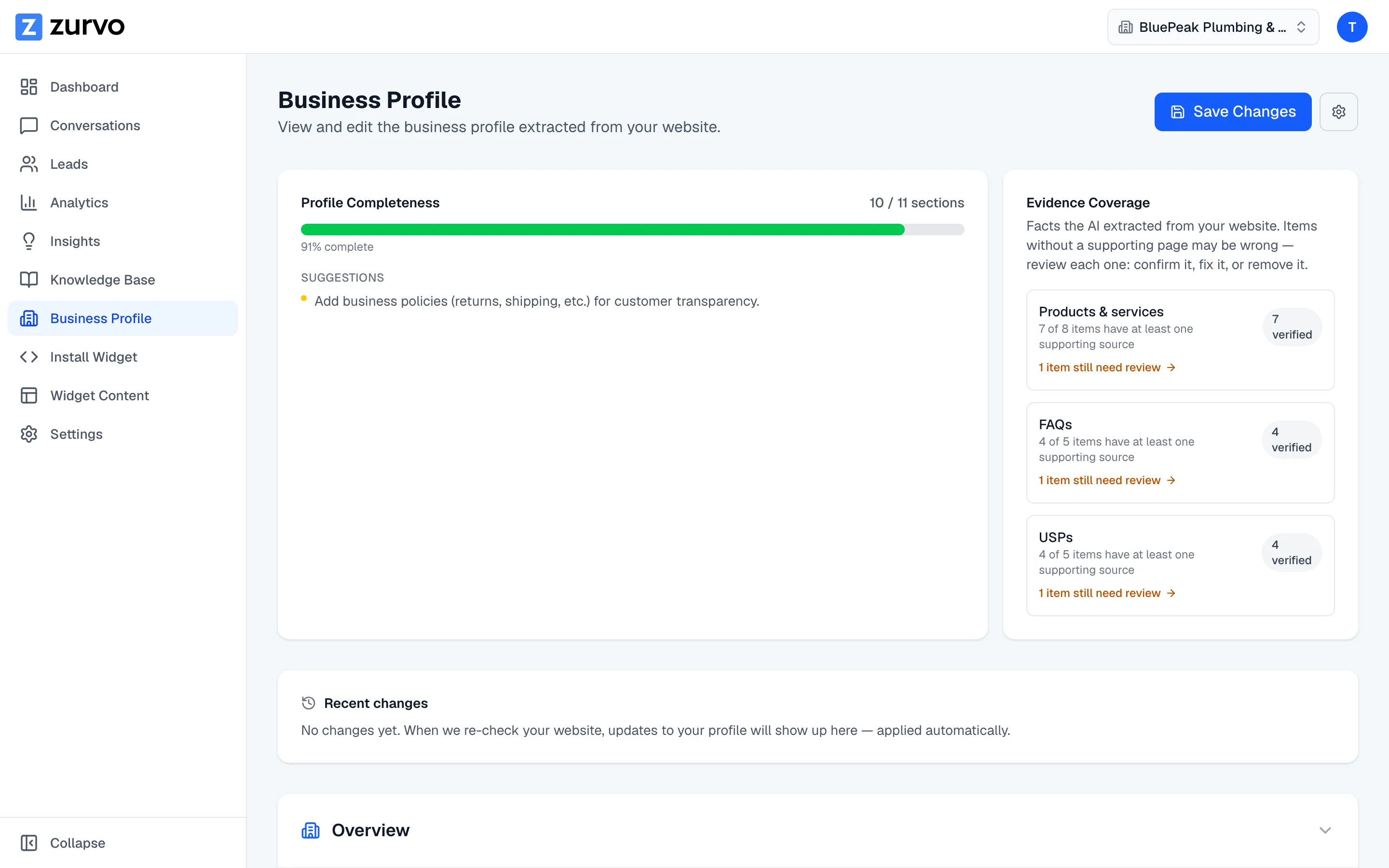
Check your profile's completeness and evidence.
See how complete your business profile is, get suggestions on what to add, and review which extracted facts are backed by a source page so you can confirm or fix them.
Once you’ve generated your business profile, two tools help you make it trustworthy: a completeness score that shows what’s missing, and evidence coverage that shows which facts are backed by your website. This guide covers both.
Profile completeness
The Profile Completeness card shows how many sections you’ve filled in — for example, “8 / 12 sections” with a percentage. Sections count toward your score when they have real content: a business name, a description, products or services, FAQs, contact details, policies, and so on.
Below the score, Zurvo lists a few suggestions — the highest-impact things to add next, like “Add a business description to tell customers what you do.” Working through them gives your chatbot more context to answer accurately.
Evidence coverage
The Evidence Coverage card shows which extracted facts are backed by a source page. As it explains: facts without a supporting page may be wrong, so it’s worth reviewing each one — confirm it, fix it, or remove it.
Coverage is shown for three kinds of facts:
- Products & services
- FAQs
- Unique selling points (USPs)
For each, you’ll see how many items have at least one supporting source, how many you’ve verified, and a link to any items that still need review.
What evidence tells you
Each fact carries an evidence indicator based on how strongly your website supports it:
- Verified — well-supported by your site.
- Likely correct — has a supporting source, worth a glance.
- Needs review — little or no supporting evidence; check it.
These are a guide, not a verdict. Anything marked Needs review deserves a look, because it might be something the extraction guessed at.
Confirm the facts you trust
When a fact is right, open its evidence details and click Mark as correct. It becomes Confirmed by you — Zurvo treats it as trusted, and if a later re-crawl finds a conflicting value, it won’t silently overwrite your confirmed fact. Instead it flags the conflict in recent changes for you to decide. To change a fact rather than just confirm it, edit the section directly.