
Generate your business profile.
Turn your crawled knowledge into a structured business profile — overview, products, FAQs, contact, policies, and more — that gives your chatbot accurate context.
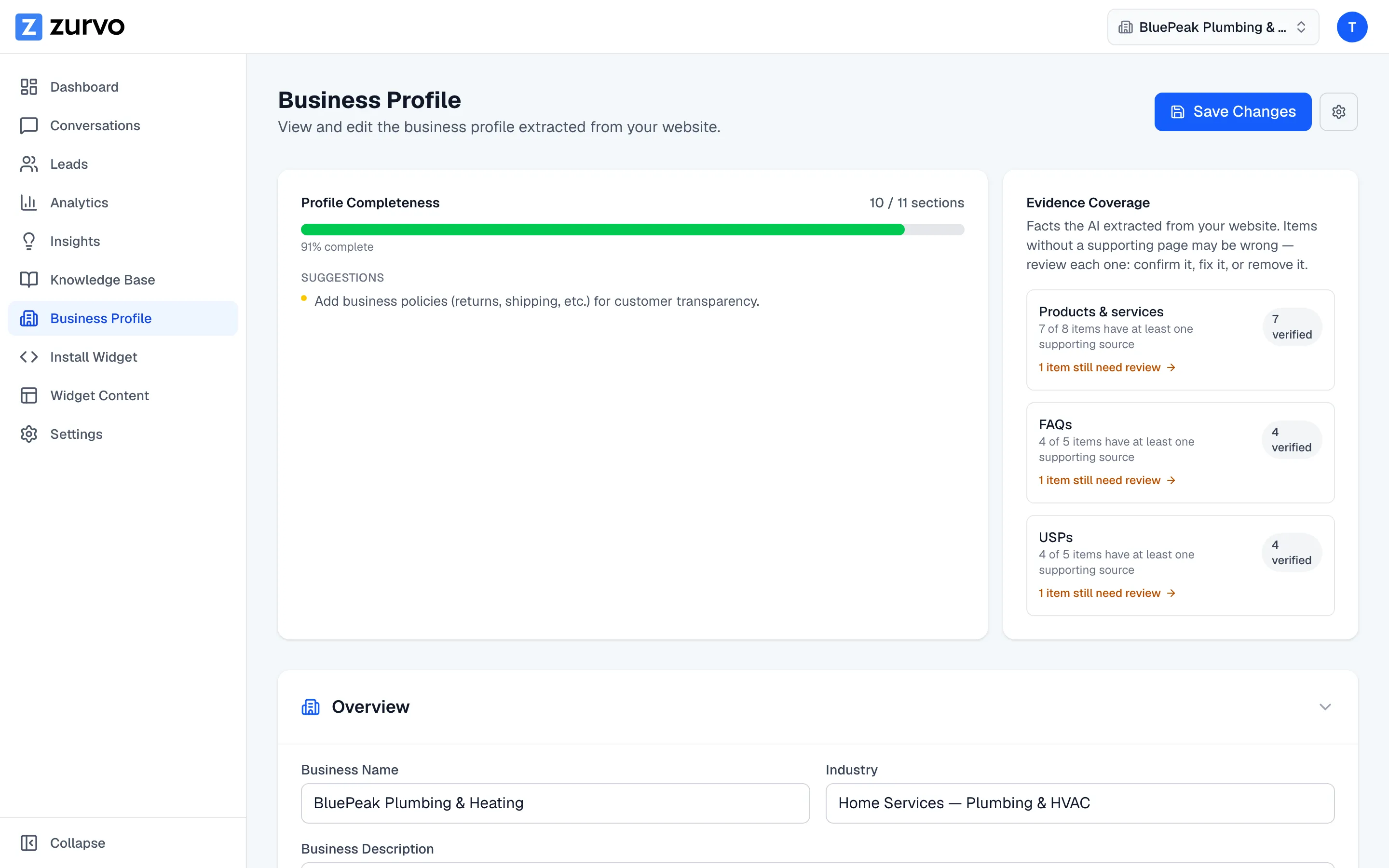
Your business profile is a structured picture of your business — the facts your chatbot leans on to answer accurately and sound like you. Zurvo builds it from the knowledge you’ve already gathered. This guide covers what’s in it and how to generate it.
What’s in a profile
A business profile is organized into sections:
- Overview — business name, industry, description, and target customers.
- Products & Services — what you offer, with type, price, and description.
- FAQs — common questions and answers, each optionally linked to a source page.
- Contact Information — phone, email, address, and hours.
- Policies — returns, shipping, warranty, cancellation, privacy, and terms.
- Team Members — names, roles, and short bios.
- Service Areas — the places you serve.
- Unique Selling Points — what sets you apart.
Generate the profile
Before you generate, make sure you’ve crawled your website or uploaded documents — the profile is built from your knowledge base.
- Open Business Profile from the sidebar.
- Click Generate Profile.
Zurvo reads your knowledge documents, extracts the facts, and synthesizes them into the sections above. When it finishes, you’ll see a confirmation of how many pages it drew from.
Regenerate later
As your business or website changes, you can rebuild the profile. Open the settings (gear) menu and choose Regenerate. Zurvo re-reads your current knowledge:
- If your content hasn’t materially changed, it preserves what you’ve already reviewed rather than redoing work.
- If your content has changed, it applies the differences and surfaces them as recent changes for you to review.
Next steps
Once your profile exists, check its completeness and evidence to see what’s well-supported and what needs attention, then edit any section to get the details exactly right.