Review recent changes to your profile.
When a re-crawl updates your business, Zurvo applies the changes automatically and lists them for review — accepting most, and asking you to decide only when they conflict.
Your website changes over time, and your profile keeps pace. When a re-crawl finds something new or different, Zurvo handles it for you and keeps a running list so you always know what changed. This guide explains the recent-changes review.
Where changes show up
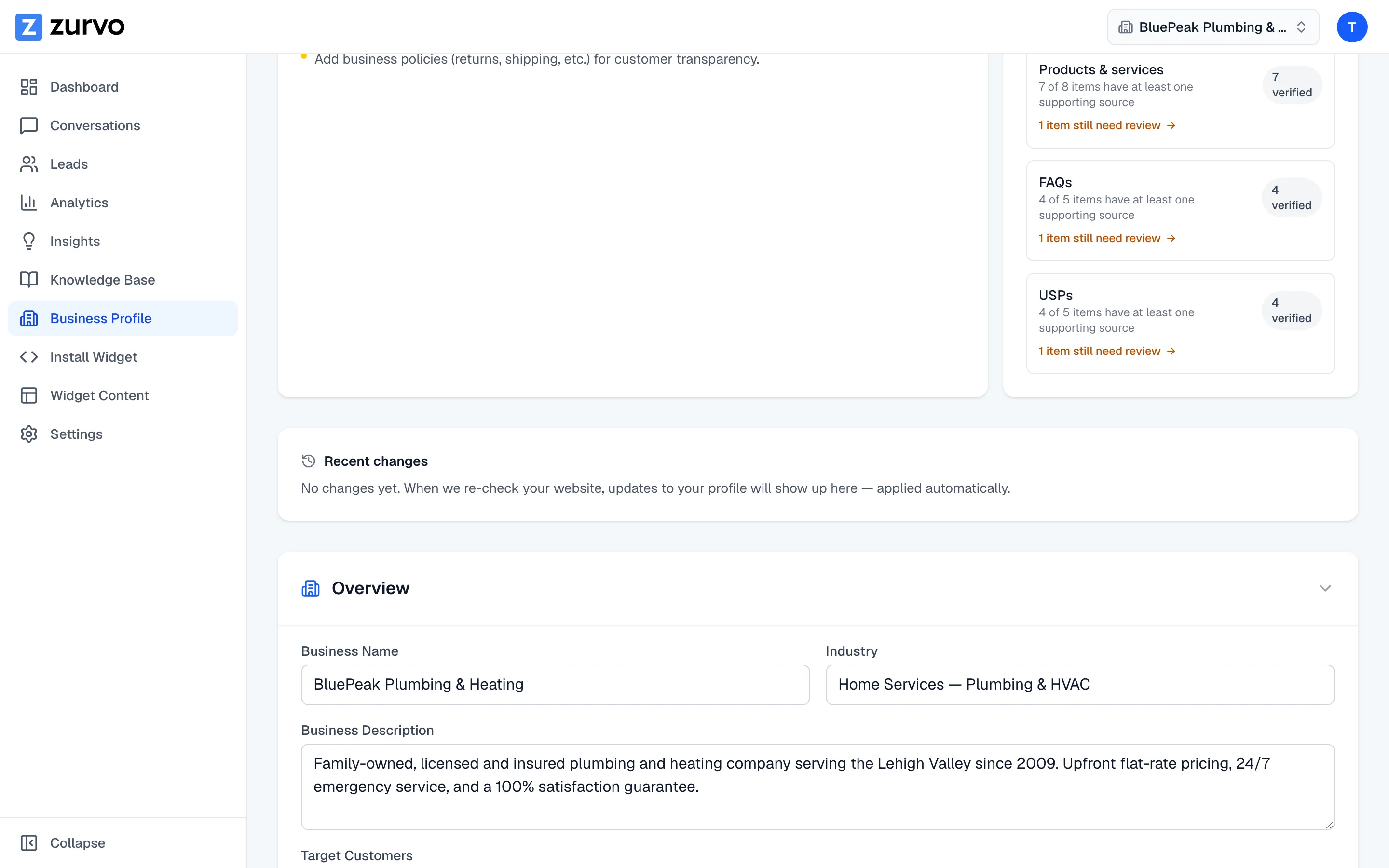
The Recent changes card sits on your Business Profile page, just below the completeness and evidence cards. Anything that needs your decision is pinned to the top in a highlighted panel, so it’s the first thing you see; below it, the full history is grouped by date, newest first. If nothing has changed, it simply says so — updates will appear here, applied automatically, whenever your website is re-checked.
Most changes apply automatically
You don’t have to approve routine updates. New facts and edits to unconfirmed details are applied automatically, and the card notes that changes are applied for you — you don’t need to do anything. Each one is listed in plain language, for example:
- “New service added: EV charger installation (auto-accepted)”
- “Hours changed: Sat 9–5 → 10–4 (auto-accepted)”
If an automatic change isn’t right, you can Revert it to put the previous value back.
When a change needs your decision
There’s one case Zurvo won’t decide for you: when a re-crawl finds a value that genuinely contradicts a fact you’d confirmed as correct — a different price, a different timeframe, a policy that flipped. Rather than overwrite your verified fact, it keeps your value live and flags the conflict, with a short note on what actually differs so you can decide at a glance.
If your website merely rewords a confirmed fact without changing what it says, Zurvo recognizes that and applies the fresh wording automatically — no decision needed. You’ll see it listed as an applied change, marked “Same meaning, wording refreshed from your website.”
When the meaning actually changes on a fact you confirmed, Zurvo won’t overwrite it silently. You’ll see a Needs your decision marker and a change like:
- “Phone number: your website now says (555) 123-9999, but your profile has (555) 123-4567”
Click Accept to adopt the new value from your website, or leave it to keep the value you’d confirmed. Either way, nothing you verified is changed behind your back.
When something drops off your website
If a re-crawl finds that a fact you’d confirmed as correct is no longer on your website, Zurvo doesn’t quietly delete it. It keeps the value in your profile and records the change — for example, “Phone (main) no longer on your website … — kept in your profile.” Confirmed details stay put even when a page changes or goes offline, so nothing you verified disappears without you seeing it. These entries are informational — there’s no Revert, because the value is still yours.
Unchanged content means no work
Re-crawling a site that hasn’t really changed doesn’t fill this list with noise. Zurvo only records genuine differences, so re-crawls of unchanged pages produce no recent changes at all. That keeps the review meaningful — everything here is a real update worth a glance.
How this fits together
Recent changes is where re-crawling meets your profile. Confirming facts with Mark as correct is what earns them the “needs your decision” protection here — so the facts you care most about are the ones Zurvo checks with you before changing.