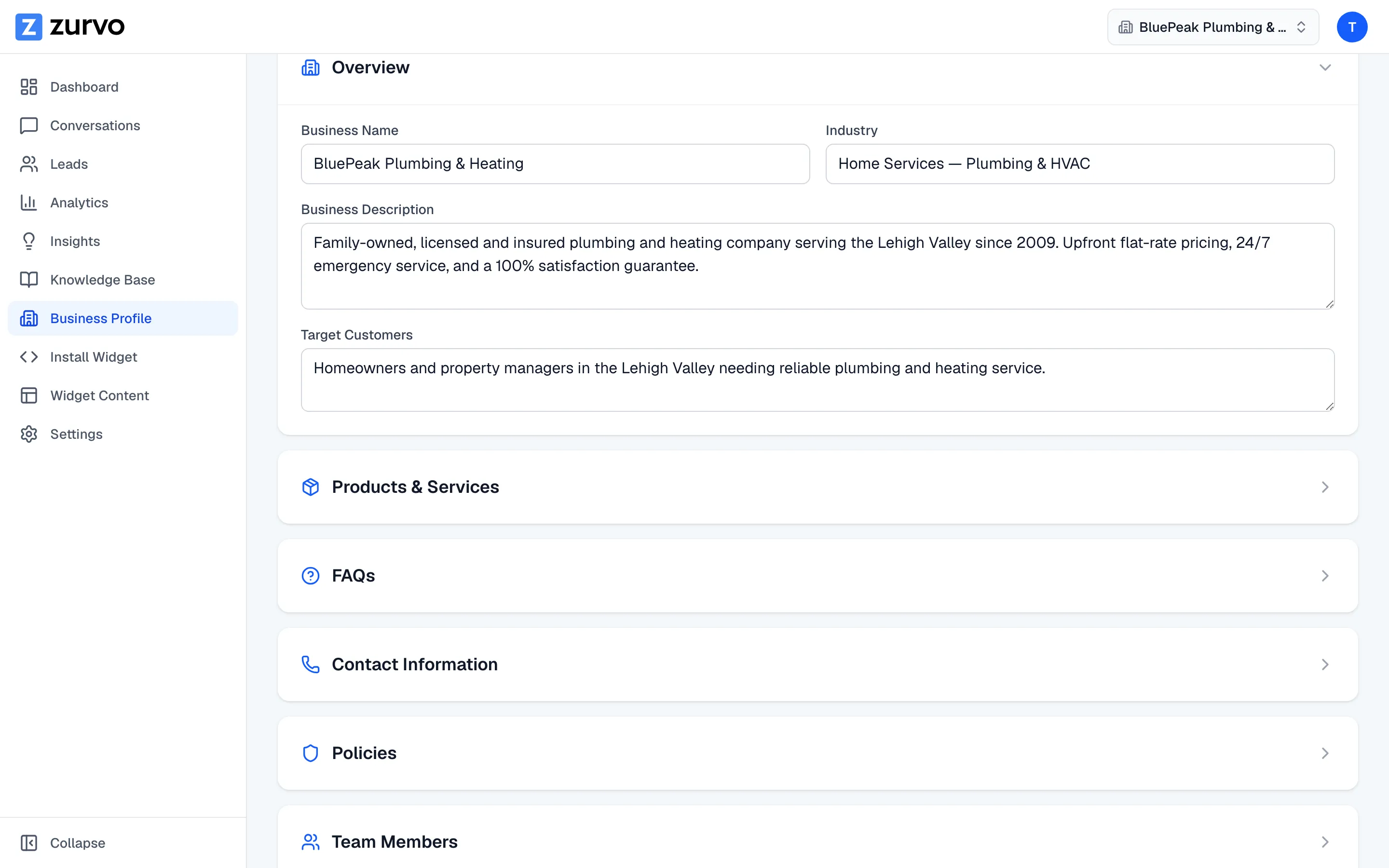
Edit your business profile.
Fine-tune every section of your profile — overview, products, FAQs, contact, policies, team, and more — and save to re-index your FAQs for instant, accurate answers.
Zurvo builds your profile automatically, but you have the final say. Every section is editable, so you can correct a detail, add something the crawl missed, or remove anything wrong. This guide covers editing and saving.
Edit a section
On the Business Profile page, open the section you want to change and edit its fields:
- Overview — type directly into business name, industry, description, and target customers.
- Products & Services, FAQs, Team Members — edit an item with the pencil, remove it with the trash icon, or use the Add button to create a new one.
- Contact Information — fill in phone, email, address, and hours.
- Policies — write each policy (returns, shipping, warranty, cancellation, privacy, terms).
- Service Areas and Unique Selling Points — add each entry with the input and Add button, and remove any you don’t want.
Save your changes
When you’re done, click Save Changes (in the top right, or the save bar at the bottom). Zurvo saves your profile and shows a confirmation.
Saving re-indexes your FAQs
Saving does more than store text. In the background, Zurvo re-indexes your FAQs — it re-embeds them into the search index your chatbot uses. That means an FAQ you edit or add can be answered by your chatbot right away, with no extra step. The save doesn’t wait on this; your changes appear immediately and the re-indexing finishes on its own.
Editing versus confirming
Editing changes what a fact says. If instead a fact is already right and you just want Zurvo to trust it, use Mark as correct in its evidence details — see completeness and evidence. Both editing and confirming protect your work: when you’ve set a fact, a later re-crawl won’t quietly overwrite it. Any conflict is surfaced in recent changes for you to decide.