Keep your knowledge fresh with re-crawling.
Re-crawl your whole site or a single page on demand, and on the Scale plan turn on weekly auto-recrawl so your chatbot stays current as your site changes.
Your website changes, and your chatbot’s knowledge should keep up. Re-crawling refreshes what Zurvo has stored. You can do it manually — for your whole site or one page — or let Zurvo re-crawl on a schedule.
Re-crawl your whole site
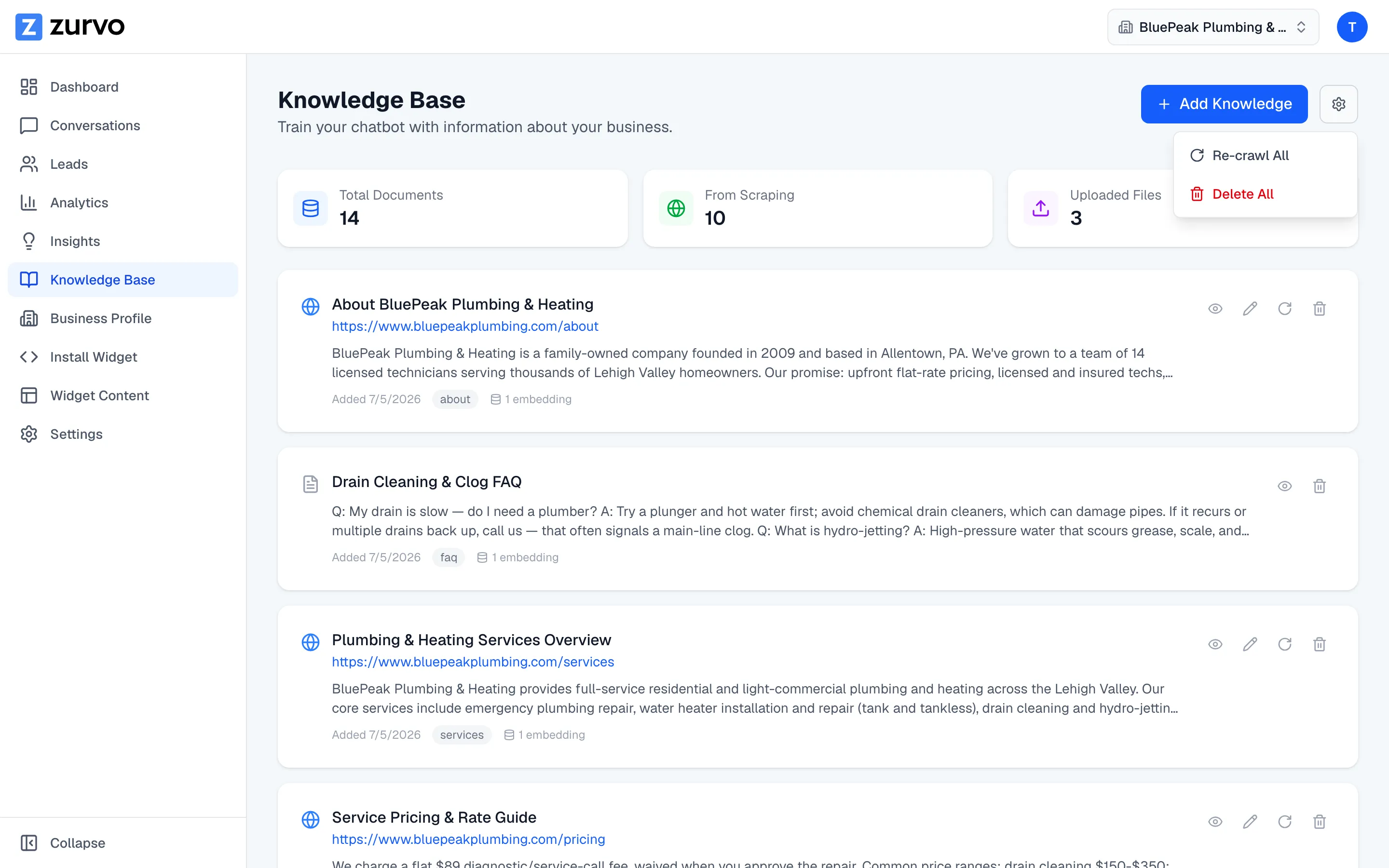
- Open Knowledge Base from the sidebar.
- Click the settings (gear) button in the top right.
- Choose Re-crawl All.
- Confirm when prompted — old pages are replaced after a successful crawl.
Zurvo runs the crawl the same way as the first time, showing live progress. When it finishes, pages that are no longer on your site are cleaned up, while pages you’ve edited by hand are kept.
Re-crawl a single page
If just one page changed, you don’t need to re-crawl everything.
- Find the page in your document list.
- Click the re-crawl (circular arrow) button on that document.
Zurvo re-crawls your site starting from that page and updates what changed — pages you edited yourself are never overwritten. You’ll see a confirmation when it’s done.
Set up auto-recrawl (Scale plan)
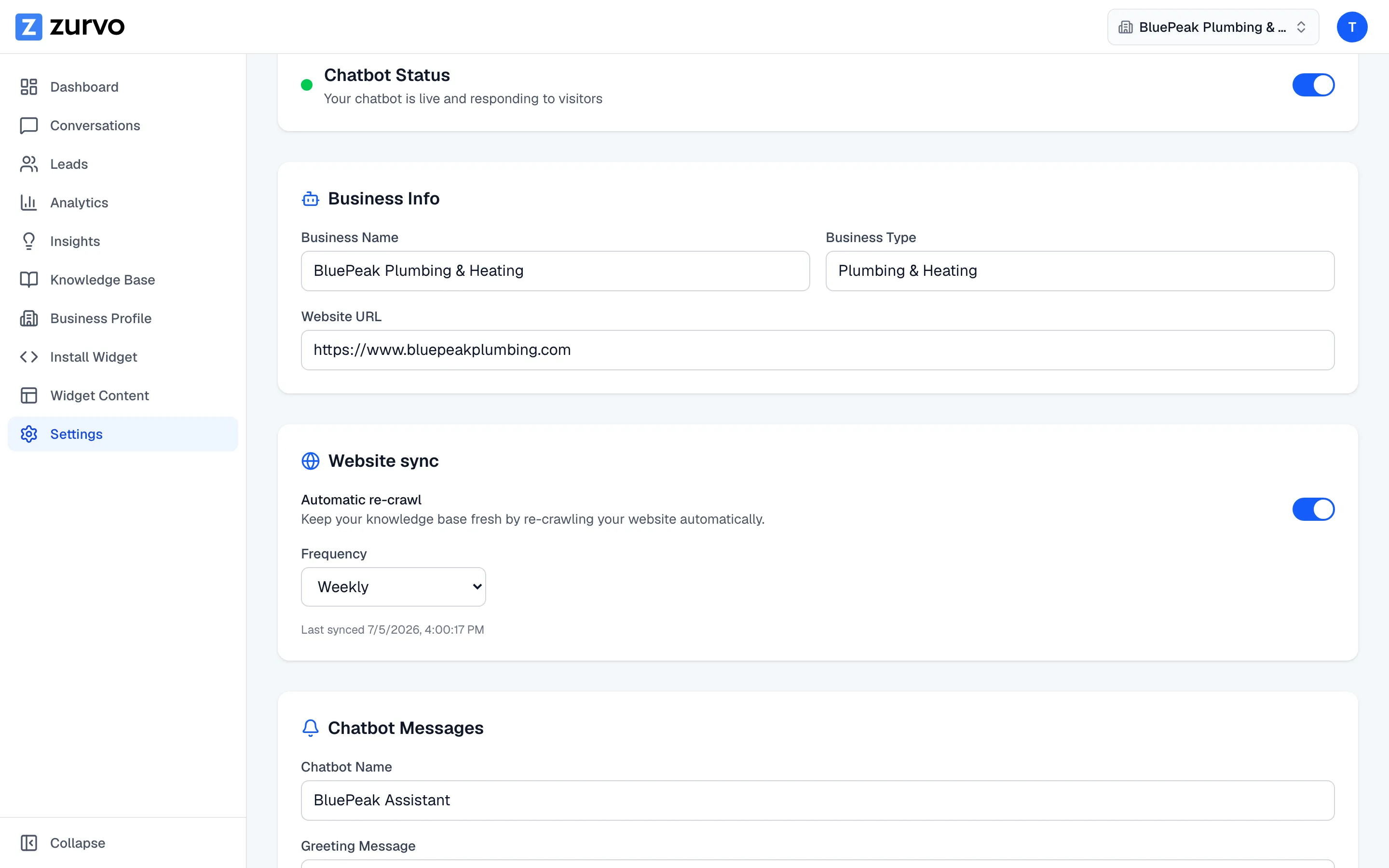
Automatic weekly re-crawl is available on the Scale plan. Turn it on in Settings under Website sync, and Zurvo re-checks your website once a week so you don’t have to remember. On Launch and Growth, re-crawling is manual — use Re-crawl All from the Knowledge Base whenever your site changes.
When auto-recrawl runs, it re-checks your site and updates your knowledge base with anything that changed. Pages you’ve edited yourself are left untouched, and updates flow into your business profile’s recent changes for you to review.
Auto-recrawl and the trial
Automatic re-crawling is skipped during the 3-day trial. You can still re-crawl manually while trialing — auto-recrawl starts working once you’re on a paid subscription and have it turned on.
A note on unchanged content
Re-crawling a page that hasn’t actually changed doesn’t create busywork. Zurvo notices when content is the same and makes no changes, so re-crawls are safe to run often. Only real differences show up as recent changes to review.