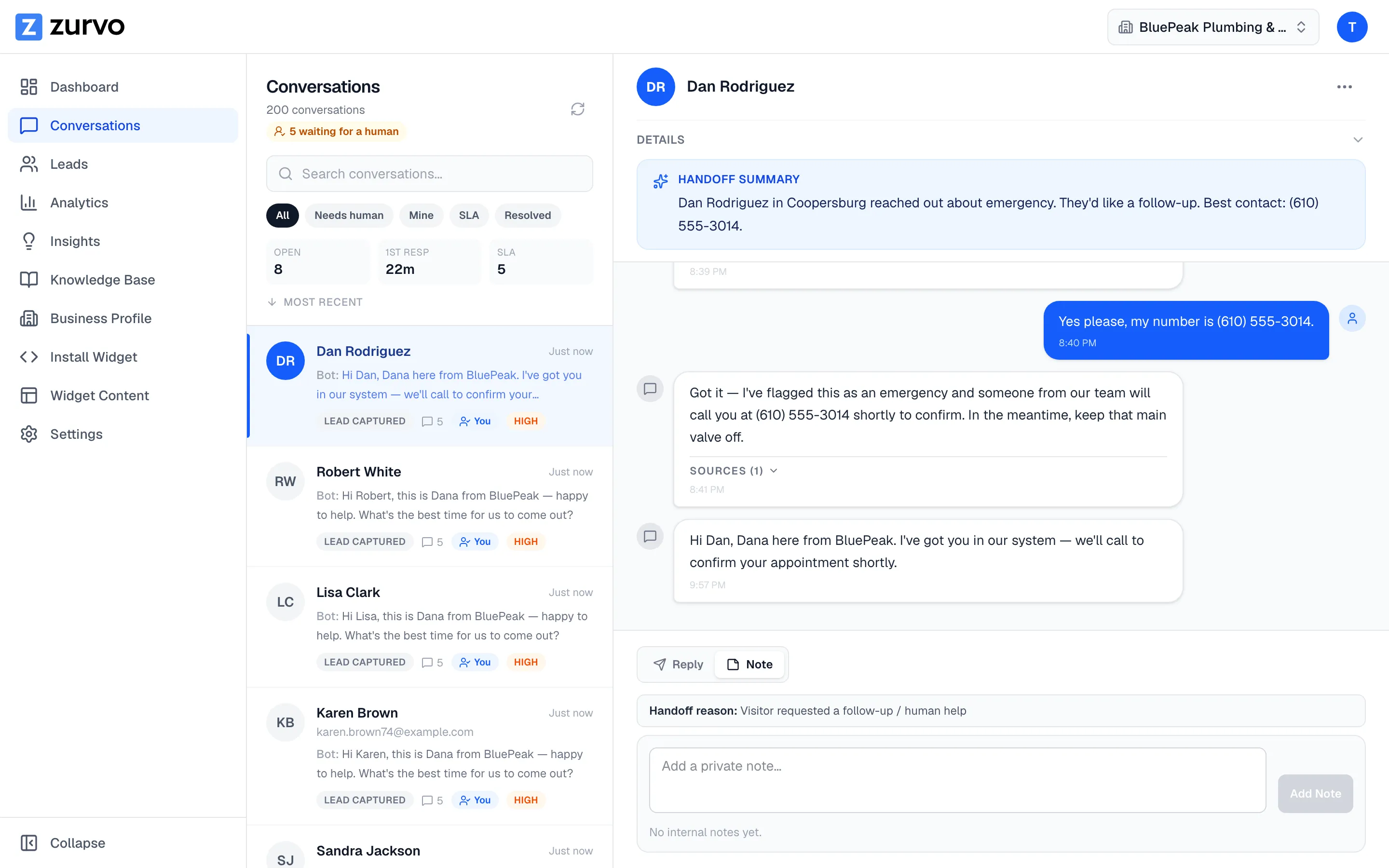
Add internal notes to a conversation.
Leave private team notes on any conversation to share context with your teammates — notes stay internal and are never shown to the visitor.
Internal notes let you leave private context on a conversation for your teammates — “called the customer back,” “waiting on the warranty team,” “this is a VIP.” They’re for your team’s eyes only and are never visible to the visitor.
Add a note
- Open the conversation.
- In the details panel on the right, find the Notes section (a count in its header shows how many notes the conversation already has). On smaller screens, open the details panel with the panel button in the conversation header.
- Type your note and click Add.
Your note is saved to the conversation and appears in the notes list, newest first, with your name and the time.
Notes stay private
Notes are kept separate from the conversation’s messages. The visitor’s chat widget only ever loads the actual back-and-forth messages — it never receives your internal notes. That separation is what makes notes safe for candid, team-only context.
Zurvo also has an AI summary in the same details panel — generate or regenerate it any time. Like notes, it’s marked internal only and the visitor can’t see it — a quick way to catch up a teammate on a long thread.
Who can add notes
Adding and reading internal notes is available to owners, admins, and agents — anyone who can reply to conversations.
Notes pair naturally with saved replies — one keeps your team aligned behind the scenes, the other keeps your visitor-facing answers fast and consistent.