
Track your usage and message quota.
See how many of your plan's monthly messages you've used with the usage meter on your dashboard and billing page, and learn what happens when you hit the cap.
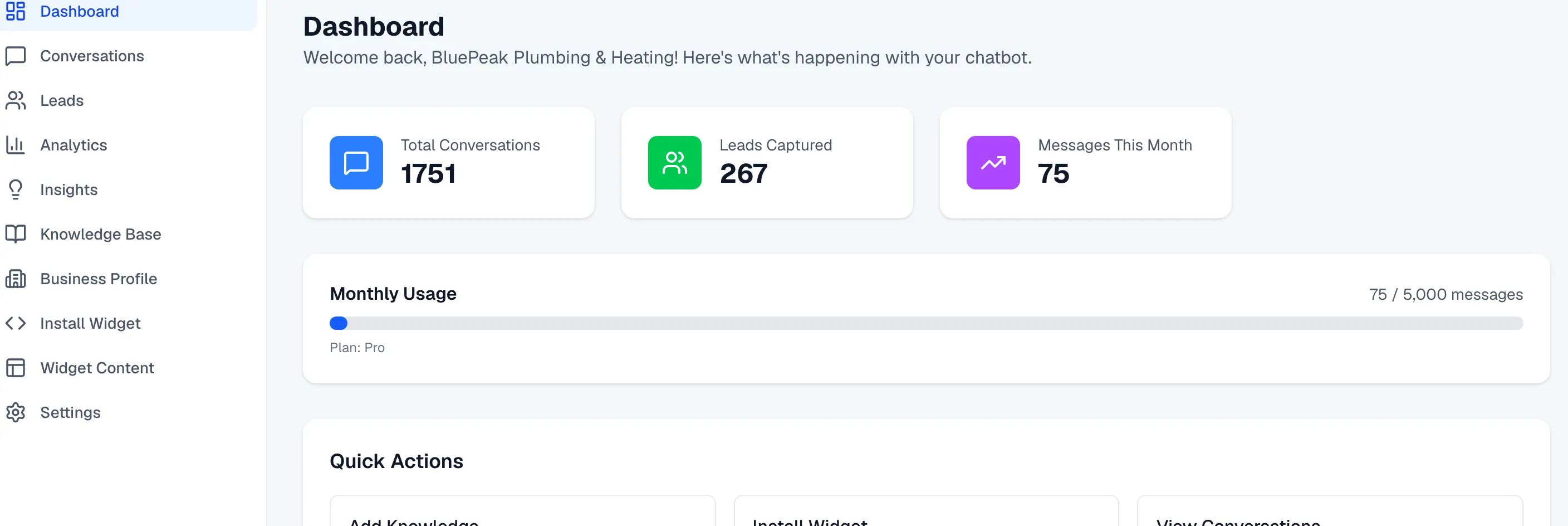
Every Zurvo plan includes a set number of messages per month — the replies your chatbot sends. The usage meter shows how much you’ve used so there are no surprises, and your plan’s cap is hard, so you’re never charged for overage.
The usage meter
Your dashboard home page has a Monthly Usage bar that shows messages used against your plan’s limit — for example, 420 / 500 messages — along with your plan name. The bar fills as the month goes on and changes color as you approach the limit, so a glance tells you where you stand.
If you own more than one organization, your billing page shows a usage meter for each, so you can see every org’s consumption in one place.
Warnings as you approach the cap
Zurvo warns you before you run out:
- At 80%, a notice appears on your dashboard: “You’ve used 80% of your monthly messages,” with a link to upgrade.
- At 100%, it changes to “You’ve reached your message limit! Upgrade to keep your chatbot running.”
These give you time to upgrade before your chatbot goes quiet.
What happens at the cap
Your plan’s message allowance is a hard cap with no overage — Zurvo never bills you for going over. When you reach the limit, your chatbot pauses answering until the next monthly cycle resets your allowance, or until you upgrade to a plan with a higher limit. Your knowledge base, conversations, and leads all stay exactly as they are; only new answers are paused.
Need more headroom?
If you’re regularly bumping into the cap, moving up a plan raises your monthly message limit (and your crawl page limit too). Compare the plans in Start your 3-day free trial and choose a plan, and change your plan any time from Billing.
