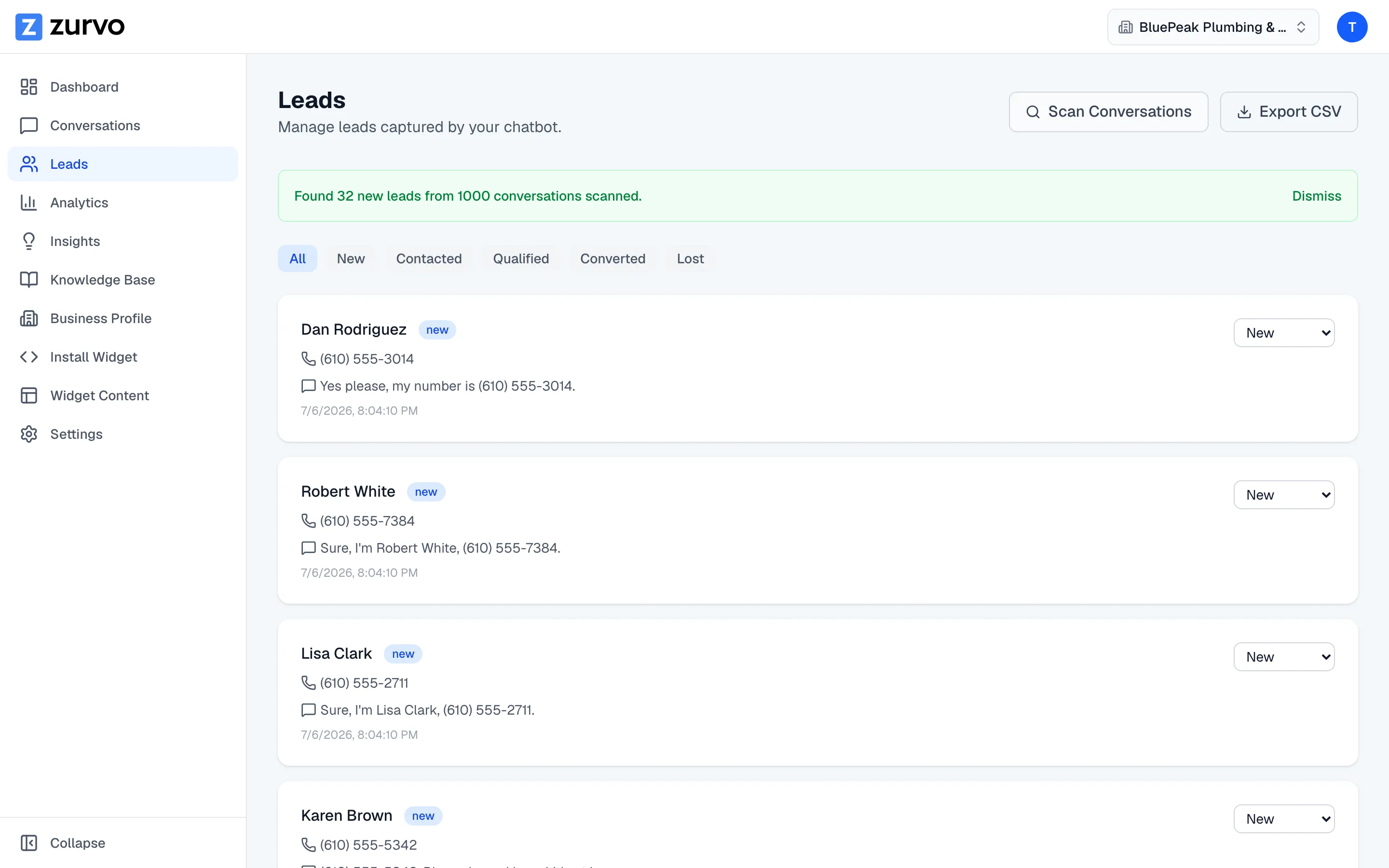
Find leads in your past conversations.
Use Scan Conversations to sweep your chatbot's earlier chats for contact details and turn any it finds into leads, without creating duplicates.
Your chatbot captures leads automatically going forward, but older conversations from before this feature existed, or any the automatic capture missed — or any you want to double-check — can still hold contact details. Scan Conversations sweeps them all and turns anything it finds into leads.
Run a scan
On the Leads page, click Scan Conversations in the top-right. Zurvo re-reads every conversation your chatbot has had and looks for an email address or phone number a visitor shared. For each conversation that has contact details but no lead yet, it creates a new lead — keeping the visitor’s name and the message where the details appeared.
While it runs, the button shows Scanning…. When it finishes, a banner tells you how many new leads were found and how many conversations were scanned, for example: “Found 3 new leads from 42 conversations scanned.” If nothing new turned up, it says so. Any new leads appear in the list right away.
Safe to run again — no duplicates
A scan skips any conversation that already has a lead, so it only ever adds leads for conversations that don’t have one. That means you can run it as often as you like without creating duplicates — re-running simply catches anything new since the last time.
When to use it
- After a busy stretch of conversations, to pull leads out of earlier chats.
- Periodically, as a safety net to make sure no older conversation left a lead behind.
Once your leads are in, work them through the pipeline or export them.