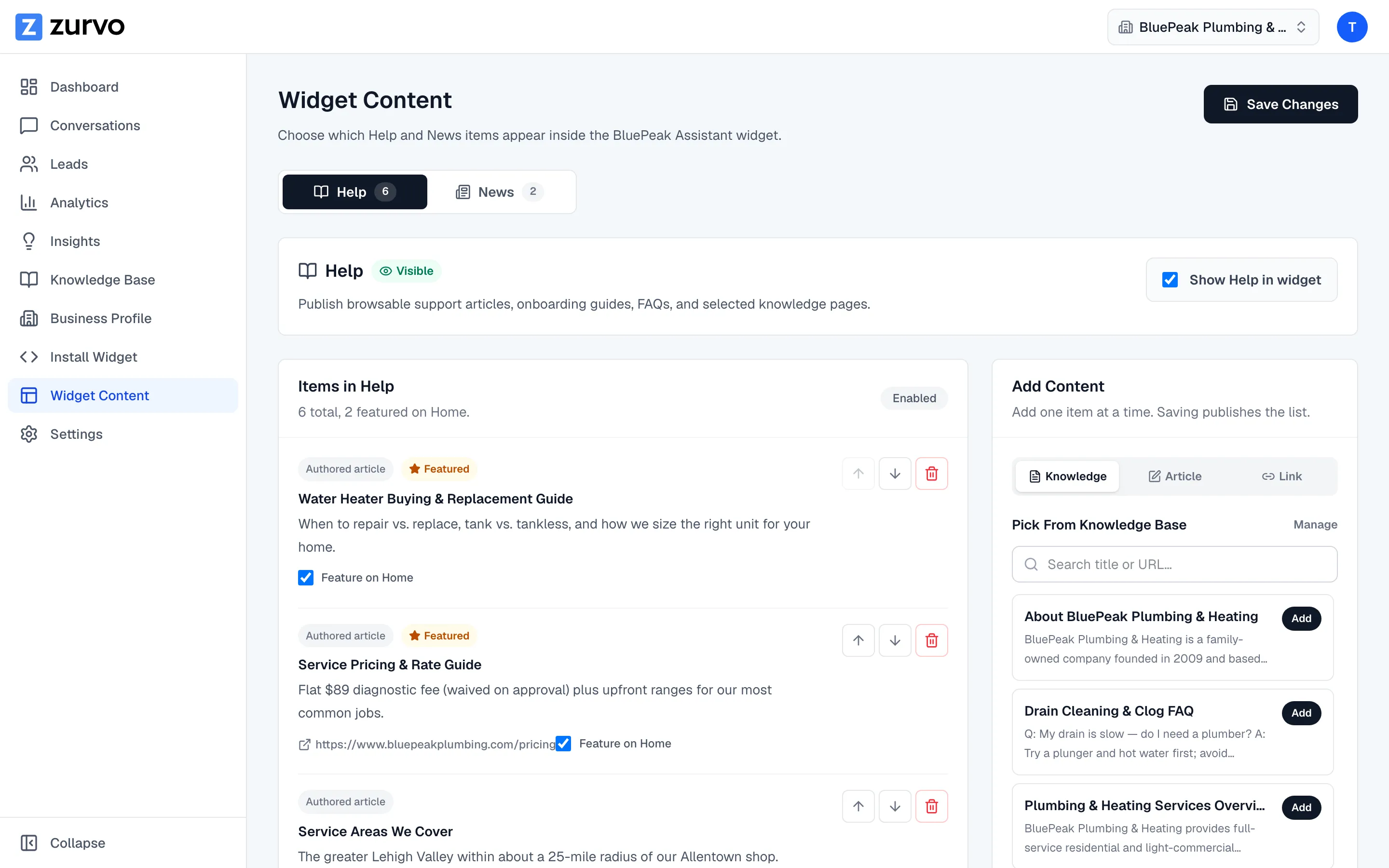
Curate your Help and News content.
Use the Widget Content page to publish Help articles and News updates inside the widget — add knowledge docs, write articles, add links, reorder, and feature them.
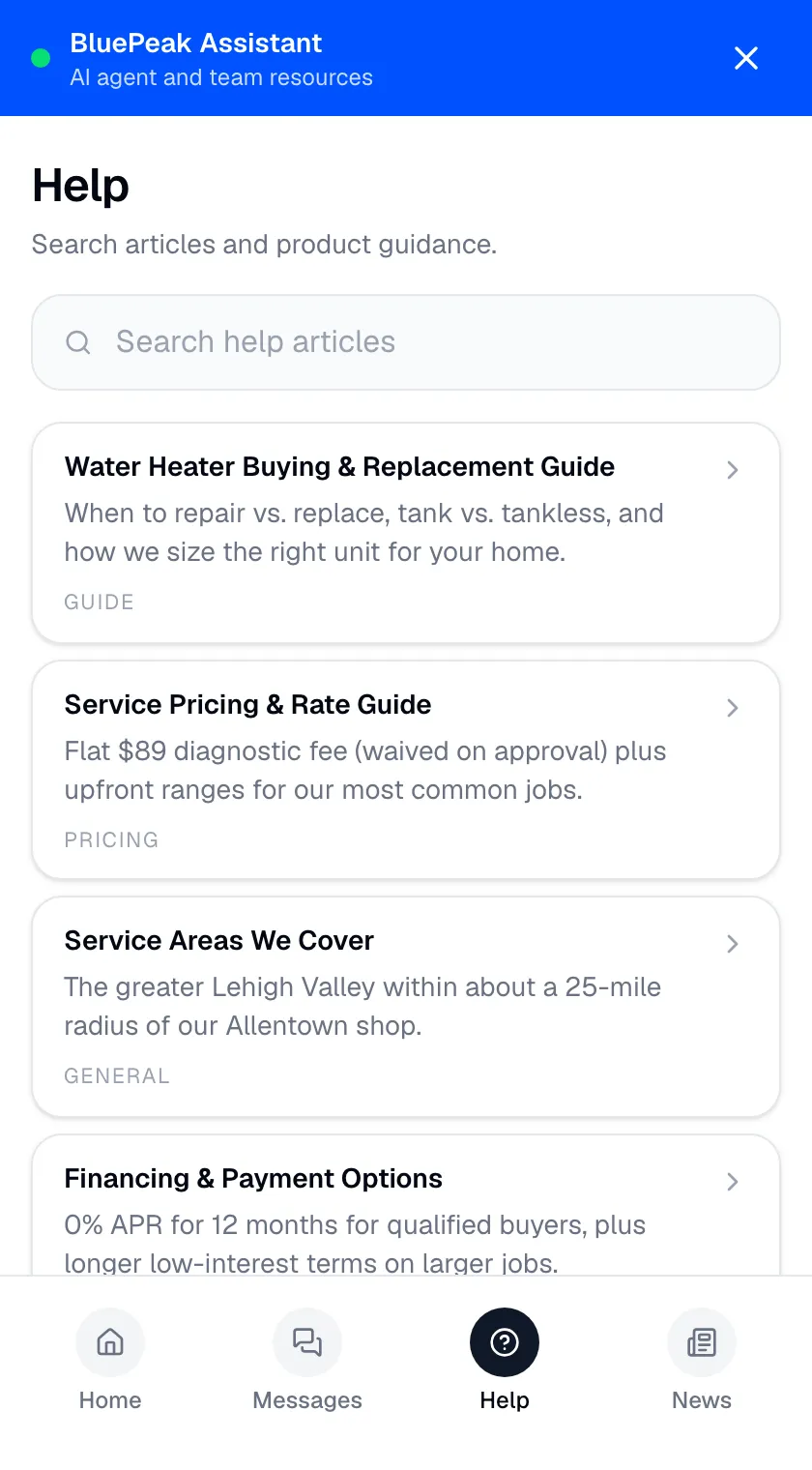
The Help and News views in your widget are yours to fill. On the Widget Content page you decide exactly which items appear, in what order, and which ones get promoted to the widget’s Home view. This guide covers all of it.
Open Widget Content
In the sidebar, go to Widget Content. At the top you’ll see two tabs — Help and News. Each one is managed the same way, so pick the section you want to work on.
Add content three ways
Use the Add Content panel on the right. It offers three ways to add an item to the section:
- Knowledge — pick from pages already in your knowledge base. Search by title or URL; the picker shows up to 12 matching documents at a time. Click Add to publish a page as a browsable article.
- Article — write your own. Give it a Title, an optional Summary, the Body, and an optional Source URL. Great for onboarding guides, FAQs, or announcements.
- Link — add an external Title and URL (plus an optional summary). Clicking it sends the visitor to that page.
Add one item at a time. Saving publishes the list.
Reorder items
In the items list, use the up and down arrows on each item to change the order visitors see them in. Put your most important items at the top.
Feature items on Home
Turn on Feature on Home for any item to promote it to the widget’s Home view, where visitors see it without opening the Help or News tab. Use it for your best articles and your latest news.
Enable or hide a section
Each section has a Show [Help/News] in widget toggle. A section only appears to visitors when it’s enabled and has at least one item — so an empty or turned-off section stays hidden, and the tab never shows up empty. The tab label shows a live count (or “Hidden”) so you always know its state.
Save your changes
Click Save Changes at the top of the page to publish. Then check it in the widget preview to see exactly what visitors will get.