
Understand the widget hub visitors see.
The widget is more than a chat box — it has Home, Messages, Help, and News views. Here's what each one shows visitors and how the tabs appear.
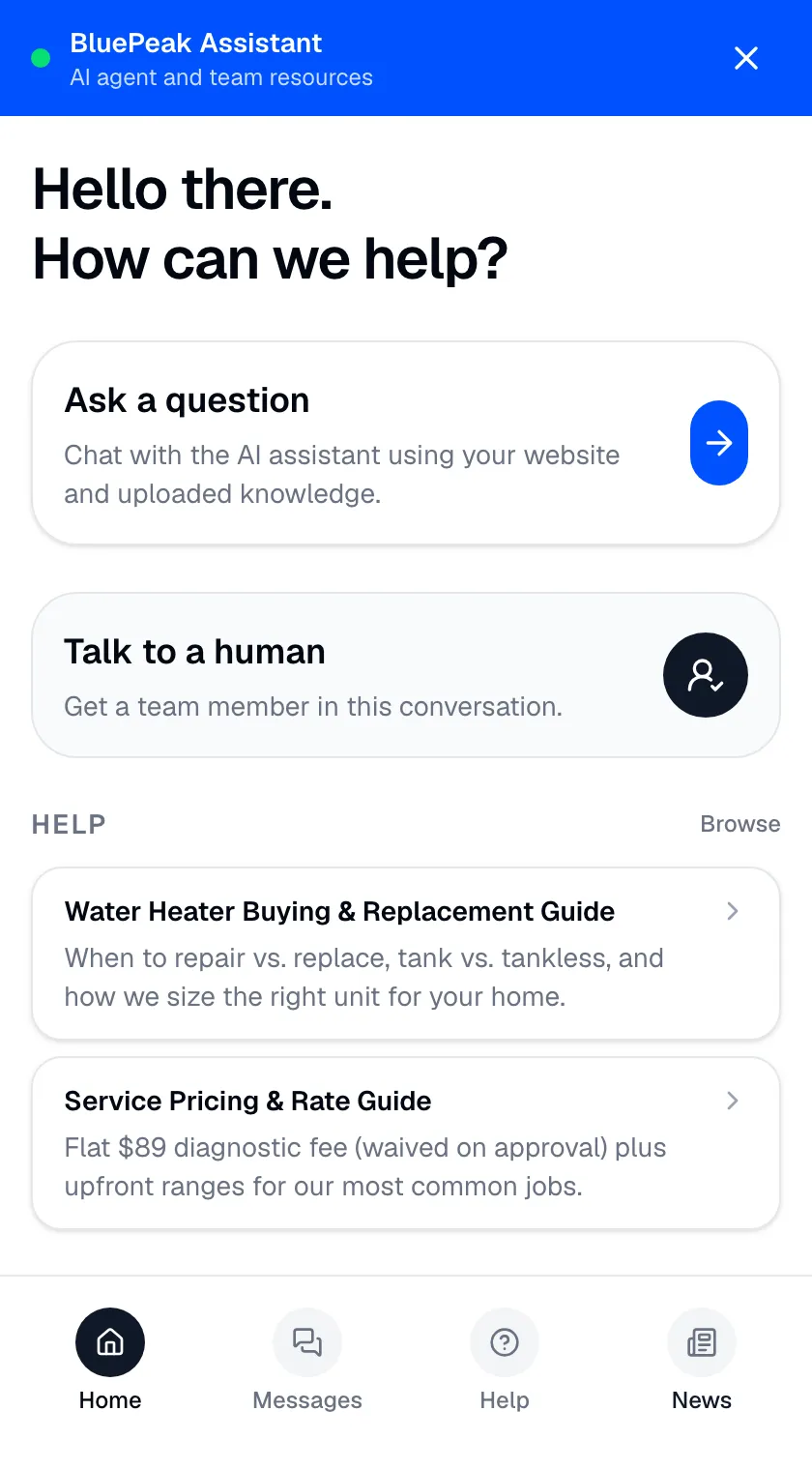
When a visitor opens your widget, they don’t just get a chat box — they get a small help hub. Depending on what you’ve set up, it can show up to four views: Home, Messages, Help, and News. Knowing what each one does helps you decide what to put in them.
Home
Home is the landing view. It greets the visitor and gives them quick ways in — starting a chat, browsing your featured Help or News items, and jumping to the other views. It’s the first thing people see, so your greeting message sets the tone here.
Messages
Messages is where conversations live. A returning visitor can pick up an earlier chat or start a new one, so they don’t have to repeat themselves. This is the entry point into the actual chat with your bot.
Help
Help is a browsable library of support articles, guides, FAQs, and knowledge pages you’ve chosen to publish. Visitors can search it and read articles right inside the widget. The Help tab only appears when you’ve enabled the Help section and added at least one item to it.
News
News is where you publish product updates, announcements, launches, and events. Like Help, the News tab only appears once you’ve enabled it and added an item.
How the tabs appear
- Home and Messages always show.
- Help and News appear only when the section is enabled and has content — so visitors never land on an empty tab.
You control what goes into Help and News, which items are featured on Home, and their order. See Curate your Help and News content to set it all up.