
Customer Support Automation Software.
Customer support automation software deflects tickets with an AI agent that draws on your knowledge base, shows sources, and hands off to a human.
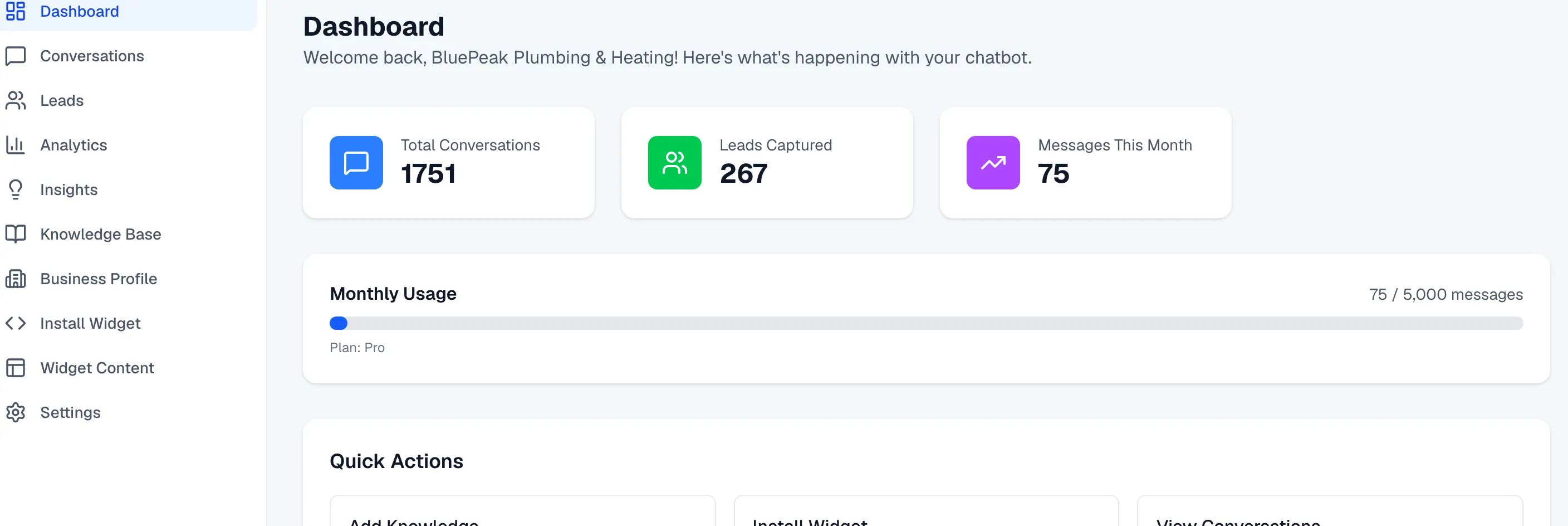
Customer support automation software is a platform that handles repetitive customer questions automatically — an AI agent draws on your approved knowledge base to answer, shows its sources, and escalates to a human when it can’t help. If you’re evaluating this category, this page is the buyer’s-guide angle: what these tools actually do, how to tell a trustworthy one from a risky one, and how Zurvo maps to the criteria that matter.
The promise of the category is simple: lower ticket volume, shorter first-response and resolution times, and agents freed from answering the same question a thousand times. The risk is just as simple: software that automates confidently but inaccurately doesn’t reduce your workload — it relocates it, turning deflected tickets into cleanup work when the bot invents an answer.
Zurvo is customer support automation software built to be trustworthy first. It deflects the predictable layer of support — order status, account access, policy questions, basic troubleshooting — while keeping a person in the loop for anything the agent can’t handle.
The four questions that actually separate these tools.
Most vendors in this category demo well. The differences show up under load, on the edge cases, and in the answers you can’t see. When you evaluate, press on these four:
- Where do answers come from? A tool that answers from a general model can sound fluent while being wrong. Zurvo answers only from your own content — crawled pages, uploaded documents, and an approved business profile. If it isn’t in your content, the agent doesn’t invent it. This is grounded AI, and it’s the foundation.
- Can you verify an answer? Zurvo attaches a “Show sources” link to grounded replies, revealing the exact page or document behind each answer. Both your customer and your team can check it in a click.
- What happens when it doesn’t know? Weak tools guess. Zurvo abstains and hands off to your team with full context, so a hard question becomes a fast human answer instead of a confident wrong one.
- Does it help you improve? Automation is a loop, not an install. Zurvo’s AI Insights surface the recurring questions your content doesn’t answer yet, so each fix deflects the next wave.
How Zurvo maps to a buyer’s checklist.
- Setup effort. Crawl your site (100 to 1,000 pages by plan) or upload documents in PDF, DOCX, PPTX, TXT, and Markdown. Paste one embed snippet. No pipeline, no integration project. Auto re-crawl keeps content current.
- Coverage. The embeddable widget answers on your website, help center, or app, any hour, in your brand’s tone. It handles the repetitive bulk of the queue directly.
- Escalation. When a human is needed, conversations route to the team inbox with SLA tracking, assignment, canned replies, internal notes, and an AI summary. Your team can be pinged by email and via a Slack incoming webhook.
- Governance. Data is isolated per tenant with encryption, role-based access control, and audit logs. Team roles, custom roles, and multi-org support let the software grow with your organization.
- Visibility. Analytics show what’s deflected, where handoffs happen, and which gaps to close next.
Pricing you can evaluate without a sales call.
A lot of automation software hides its price behind “contact us.” Zurvo doesn’t. Plans are monthly and priced by message volume: Launch at $39 for 500 messages, Growth at $89 for 3,000, and Scale at $179 for 12,000. Every plan comes with a 3-day trial, so you can validate deflection on your own content before committing. See pricing for the full comparison.
An honest note on limits.
Being a good buyer means knowing the boundaries. Zurvo answers questions and routes conversations — it is not a general-purpose agent that processes refunds or changes orders in your backend systems. Its accuracy depends on the content you give it. And while the platform provides tenant isolation, encryption, RBAC, and audit logs, it does not currently hold SOC 2 or HIPAA certification; those are roadmap items, described honestly on security and control. If a vendor promises certifications or capabilities without that kind of specificity, treat it as a flag.
Building the internal case.
Once you’ve picked a tool, someone still has to justify it internally — and support automation software usually faces a skeptical audience burned by chatbots before. Two arguments carry the most weight. The first is measurable: point to your highest-volume, most repetitive question types and show that those are exactly what grounded automation handles, then commit to tracking deflection rate against customer satisfaction so the win is provable, not asserted. The second is defensive: show that the tool abstains and hands off rather than guessing, so the automation can’t quietly generate wrong answers that create cleanup work or complaints. Zurvo is designed to make both arguments easy — deflection you can measure in analytics, and grounding you can demonstrate by showing a source behind any answer. Pair that with transparent, cancel-anytime pricing and a 3-day trial, and the internal case becomes “we can prove this works on our own content before we commit,” which is a far easier sell than a long contract on a promise.
Where this software fits best.
- Teams with high, repetitive ticket volume and reasonably documented answers.
- Businesses that want to deflect tickets without risking wrong answers on policy or billing.
- Buyers who need to show a committee measurable deflection, honest security posture, and predictable pricing.
Related reading: customer support automation for the process angle, customer support software for the broader platform view, and helpdesk automation.
The bottom line for buyers.
The best customer support automation software isn’t the one with the most features — it’s the one whose answers you can trust and trace, that hands off cleanly, and that shows you how to improve. Zurvo is built around exactly those criteria.
See how it works, compare pricing, or try it live to test deflection on your own content during the 3-day trial.