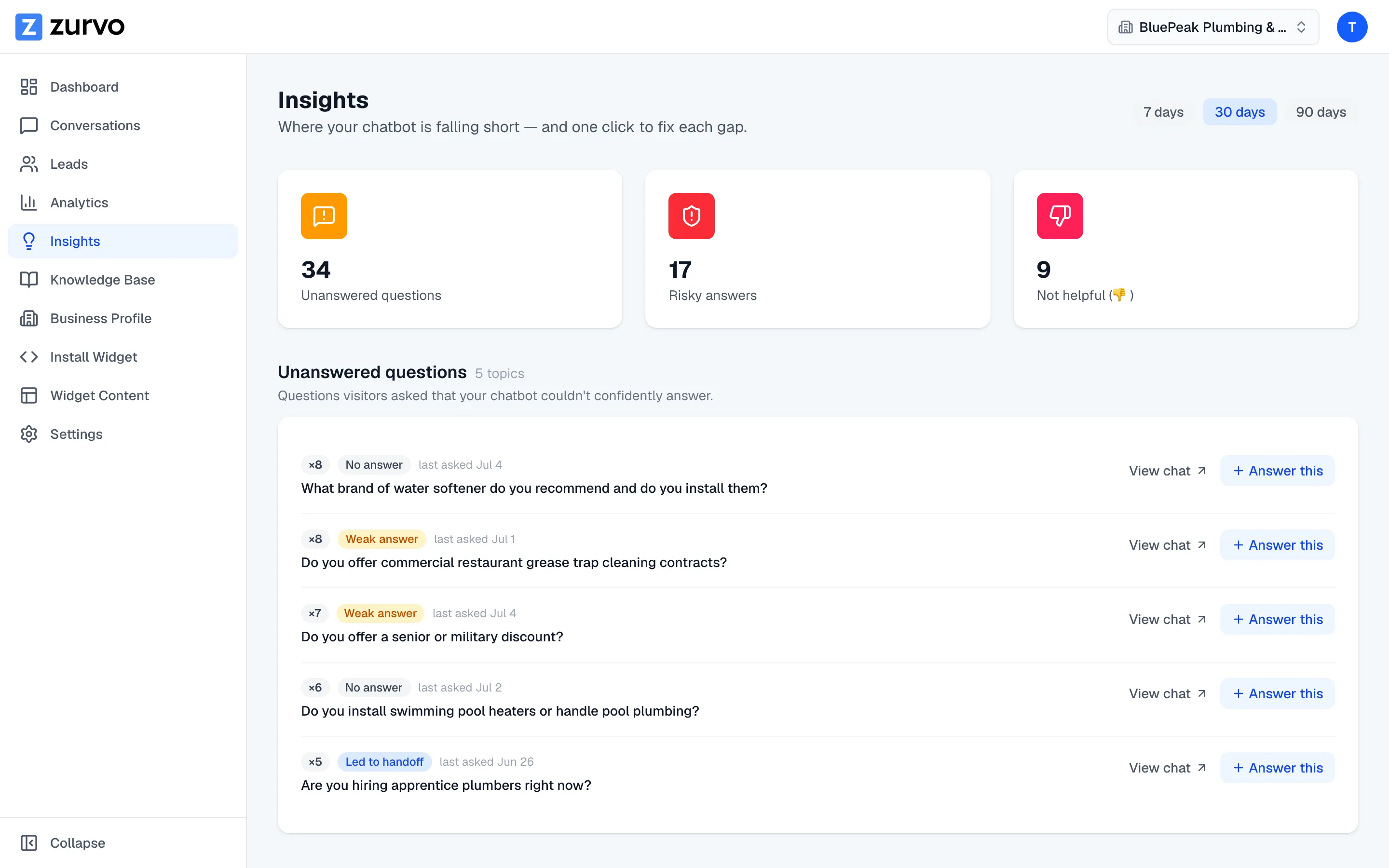
Find the questions your chatbot couldn't answer.
Use the Insights unanswered queue to see the questions visitors asked that your chatbot couldn't confidently answer, grouped and ranked by how often they came up.
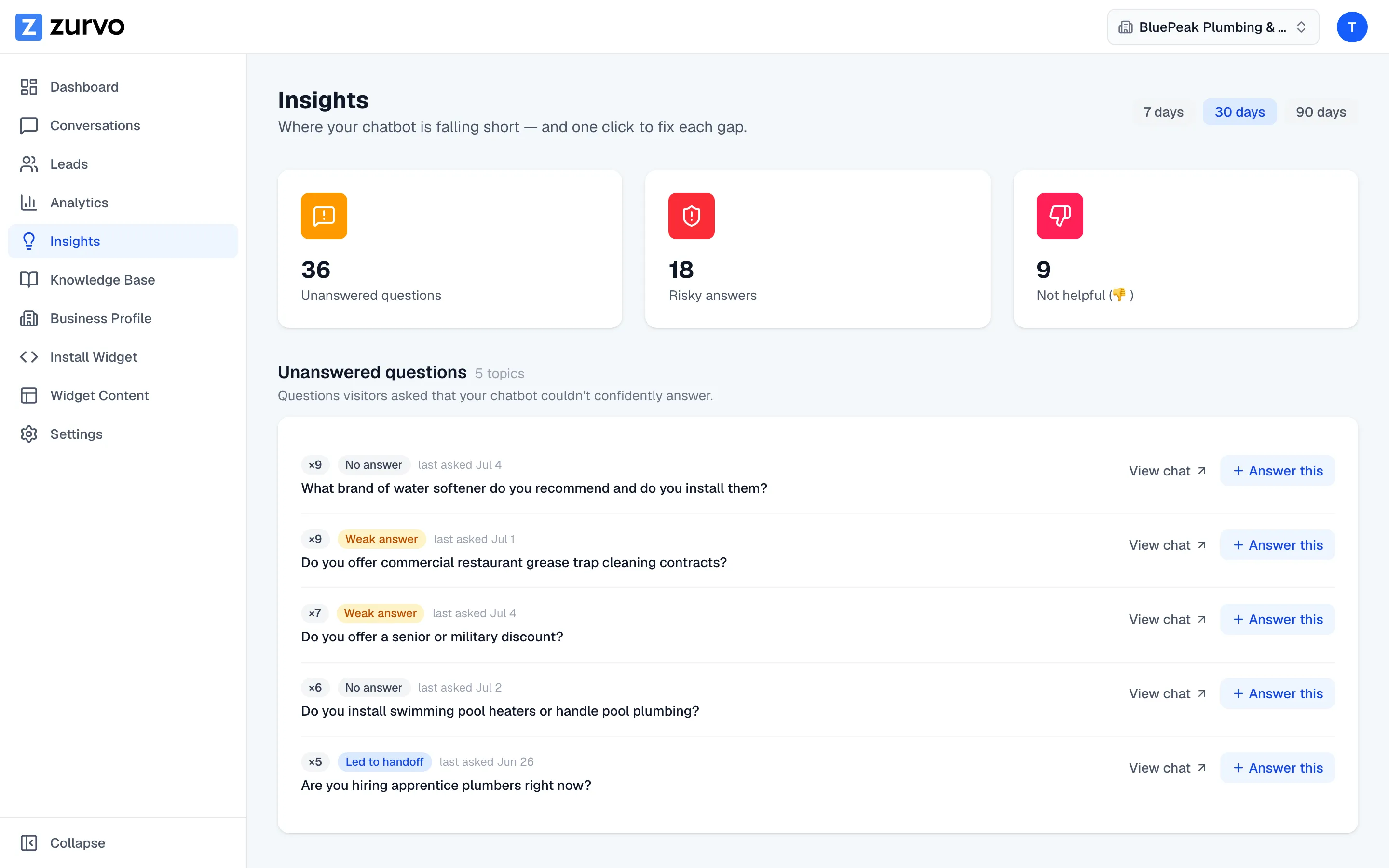
The Insights page shows you exactly where your chatbot is falling short — starting with the questions it couldn’t answer. Every gap here is a chance to make your chatbot better, and each one is one click from a fix.
The unanswered queue
The Unanswered questions section lists questions visitors asked that your chatbot couldn’t confidently answer. That covers a few outcomes, each shown as a small badge:
- No answer — the chatbot declined rather than guess.
- Weak answer — it answered, but on thin supporting knowledge.
- Led to handoff — the visitor ended up asking for a human.
- Lead captured — the conversation became a lead.
Confident, well-grounded answers don’t show up here — this queue is only the gaps.
Grouped and ranked by frequency
Zurvo groups near-identical phrasings of the same question into a single topic and counts how many times it came up. A count badge like ×5 tells you a topic was asked five times, and the list is ordered so the most-asked topics rise to the top. That way you spend your time on the gaps that matter most, not one-off phrasings. The label shown is the most recent wording of the question, and each topic notes when it was last asked.
Choose your time window
At the top of the page, pick 7 days, 30 days, or 90 days. The unanswered queue, the counts, and the summary cards all update to the window you choose, so you can look at a recent spike or a longer trend.
Turn a gap into an answer
Each topic has two actions: View chat opens the conversation where it was asked, and Answer this takes you straight to your knowledge base with the question pre-filled so you can write the missing answer. The “Answer this” fix loop is covered in the training help, and it’s the fastest way to close a gap for good.
Next, review the answers your chatbot did give but shouldn’t be fully trusted — see Review risky and downvoted answers.