
Automated Customer Service.
What automated customer service is, eight examples of what it handles well, what it should never handle, and how a small business can set it up in about five minutes.
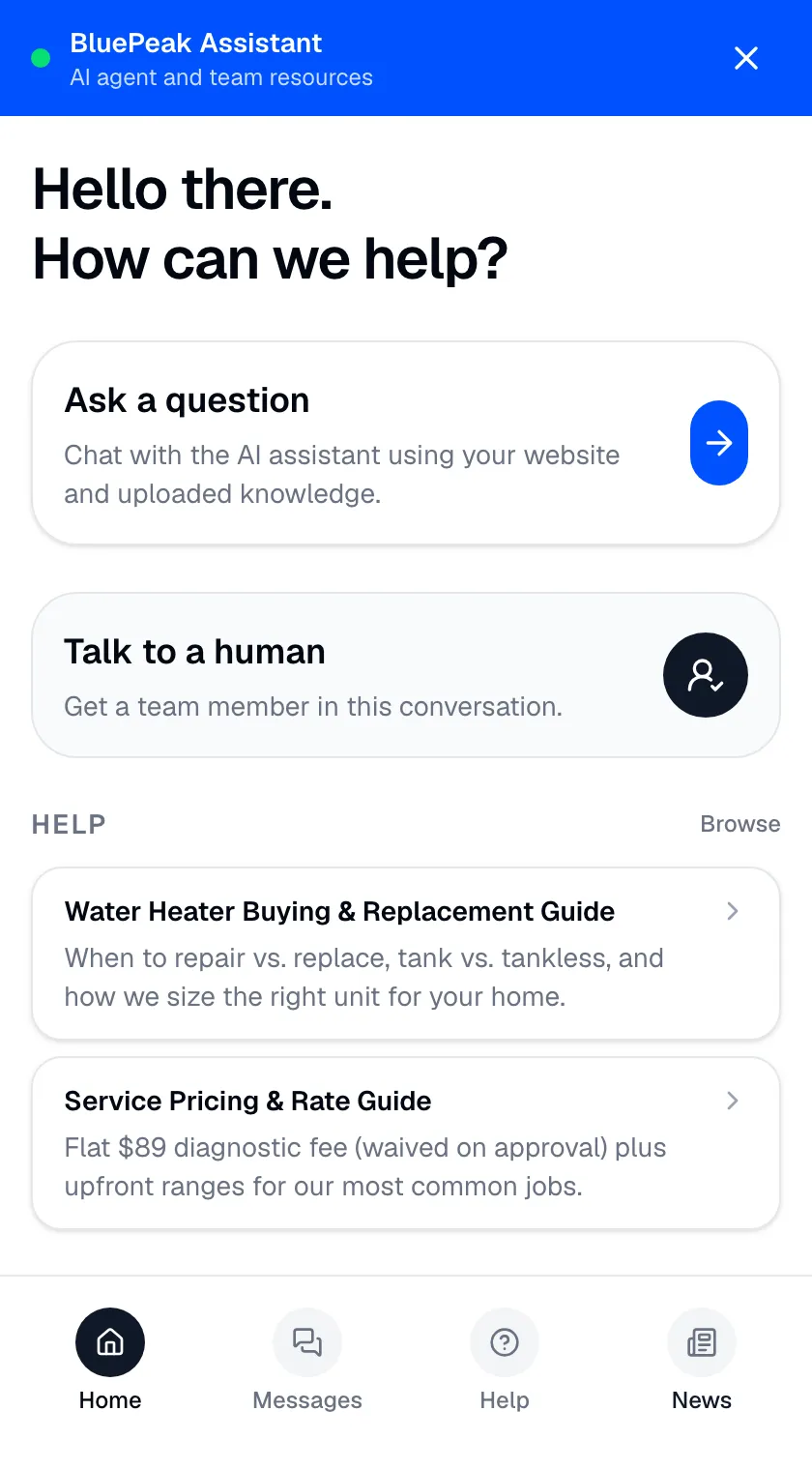
Automated customer service is the practice of answering customer questions with software instead of a person typing every reply — handling routine inquiries around the clock and escalating to a person when judgment is required. Its defining promise is availability: your customers get fast, accurate answers at 2am on a holiday as reliably as at 10am on a weekday, without you staffing a night shift for questions that already have documented answers.
This guide covers what automation handles well, eight concrete examples, what it should never handle, and how a small business sets it up — limits included.
The case for always-on answers.
Support demand doesn’t respect business hours. A shopper comparing options late at night, a customer in a different time zone, someone troubleshooting on a weekend — each arrives with a question that has a clear answer in content you’ve already published. Make them wait until Monday and you’ve turned a solved problem into a frustration, a follow-up ticket, or a lost sale.
Automated customer service closes that gap. The AI answers the moment a customer asks, every hour of every day, from your own content. The repetitive volume that used to pile up overnight resolves as it arrives, and your team walks in to a lighter, more meaningful queue.
Eight examples of automated customer service.
What “automation” means in practice, from the most common to the most overlooked:
- AI chat on your website. A visitor types a question in their own words and gets a specific answer composed from your content — the front door of modern automation. See conversational AI for customer service for how this differs from button-menu bots.
- Instant answers to the repeat five. Hours, pricing, service areas, availability, and “do you do X” — the questions that fill a small business’s phone line — resolve on the website without a person.
- After-hours coverage. The 9pm visitor gets the same answer quality as the 9am one. No night shift, no “we’ll get back to you.”
- Lead capture with alerts. When a visitor sounds interested, the AI asks if they’d like the team to reach out, collects a name and number, and emails your team the details with a summary of the chat. See lead capture.
- Status questions. “Is my order in?” and “when is my appointment?” answered from the content and policies you’ve published, with the source shown.
- FAQ deflection. The questions your team answers by copy-paste today stop reaching the inbox at all.
- Routing with context. When a conversation needs a person, automation’s job is a clean handoff: the thread lands in your team inbox with the transcript and an AI summary attached.
- Content-gap reporting. The most overlooked one: AI Insights logs the questions your content couldn’t answer — a standing to-do list for your website, written by your customers.
Always-on only works if it’s accurate.
Answering around the clock is worthless if the answers are wrong. An unattended bot that improvises overnight can do damage before anyone notices. Zurvo’s automation is grounded so always-on stays trustworthy:
- Answers come from your approved content, not the open web or a model’s training data.
- Sources are shown on grounded replies, so any answer can be checked — see grounded AI answers.
- The agent abstains and hands off when your content doesn’t cover a question, instead of guessing while no one’s watching.
What automation should never handle.
The fastest way to earn the “I hate automated customer service” reputation is to automate the wrong things. Three rules keep the machine on the right side of that line:
- Never wall off the human. A customer can ask for a person at any point and get one. Automation that traps people in a loop trades short-term deflection for long-term reviews.
- Never improvise on facts. Prices, policies, and promises come from your content or not at all.
- Never act beyond its authority. Zurvo answers and routes — it does not process refunds, change orders, or touch your systems. Actions stay with your team.
How to set it up.
- Add your knowledge. Point Zurvo at your website (100 to 1,000 pages by plan) or upload help articles, policies, and FAQs. It builds a business profile and re-crawls on a schedule to stay current.
- Turn the agent on. Paste one widget snippet onto your site. The agent answers instantly, any hour, in your brand’s tone. Setup takes about five minutes.
- Let it handle the routine. The eight examples above start working on day one, sources attached.
- Watch the reports. Analytics show what the agent handled overnight, where it handed off, and which content gaps to close next.
Where always-on automation fits best.
- Small businesses whose owner is the support team — see what it does for small businesses.
- Businesses with customers across time zones or steady after-hours demand.
- Teams that can’t justify a night shift for questions that already have documented answers.
Related reading: customer service automation, customer support automation, and customer self service software.
The outcome.
Always-on, grounded automation gives your customers fast answers at every hour and gives your team a queue that reflects work that needs a person, not overnight noise. Availability, without the risk of a bot that makes things up.
See how it works, check pricing — plans from $39/mo with a 3-day trial — or try it live on your own questions.