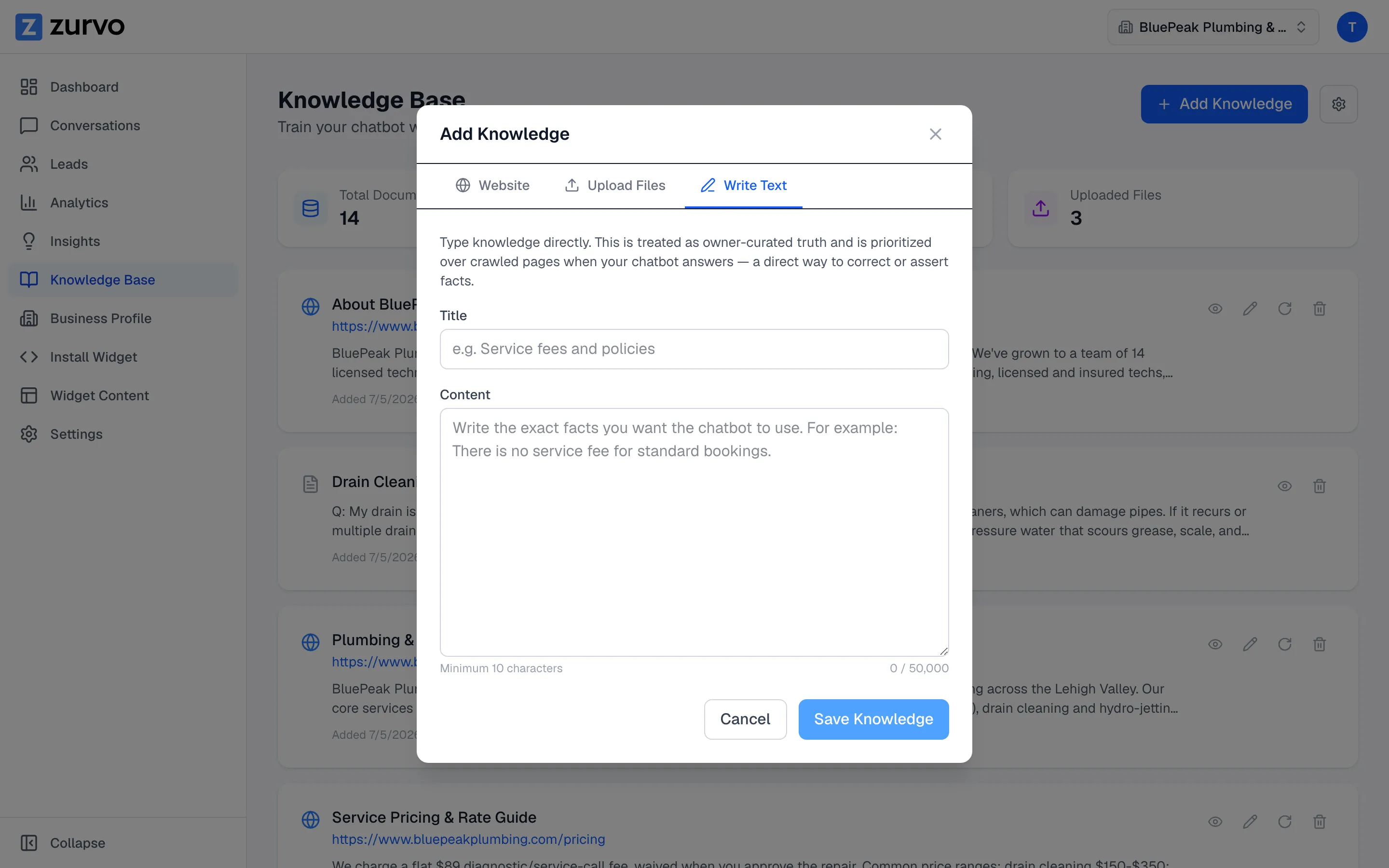
Add knowledge by typing text or scraping a URL.
Type facts straight into your knowledge base as owner-curated truth, or scrape a single web page — two quick ways to add or correct what your chatbot knows.
Sometimes the fastest way to teach your chatbot a fact is to type it in. Zurvo lets you paste or write knowledge directly, or scrape a single web page. This guide covers both.
Type knowledge directly
Text you type is treated as owner-curated truth — your chatbot prioritizes it over crawled pages when it answers. That makes it the most direct way to correct or assert a fact.
- Open Knowledge Base from the sidebar.
- Click Add Knowledge in the top right.
- Switch to the Write Text tab.
- Give it a Title (for example, “Service fees and policies”).
- Write the exact facts you want your chatbot to use in the Content field.
- Click Save Knowledge.
Write it the way you’d want the chatbot to say it — for example, “There is no service fee for standard bookings.” The content field holds up to 50,000 characters and needs at least 10 to save.
Scrape a single URL
If there’s one page you want to add without crawling a whole site, scrape it on its own.
- Click Add Knowledge.
- On the Website tab, enter the single page’s URL.
- Click Scrape Website.
Zurvo starts at that page and crawls the same site from there. To pull in an entire site instead, see Crawl your website.
When to use each
- Type text when you want to state a fact plainly, fix something the chatbot got wrong, or add information that isn’t published anywhere.
- Scrape a single URL when the content already exists on one specific page.
- Upload a file when the content lives in a document — see Upload documents.
Typed knowledge is also how the Answer this fix loop works: when Insights surfaces a question your chatbot couldn’t answer, you type the answer here and it’s ready immediately.