Understand how your chatbot answers.
Your chatbot answers only from the knowledge you give it, cites its sources, and holds back when it isn't sure — here's why that grounded approach matters.
Your chatbot doesn’t make things up. It answers from the knowledge base you build — your crawled pages, uploaded files, and typed-in facts — and it’s careful about what it says. This guide explains the approach so the chatbot’s behavior makes sense.
Answers are grounded in your content
When a visitor asks a question, your chatbot searches your knowledge base for the most relevant content and answers from what it finds. It isn’t answering from general knowledge of the world — it’s answering from your business’s information. That’s why training matters: the better your knowledge base, the better the answers.
Every answer can show its sources
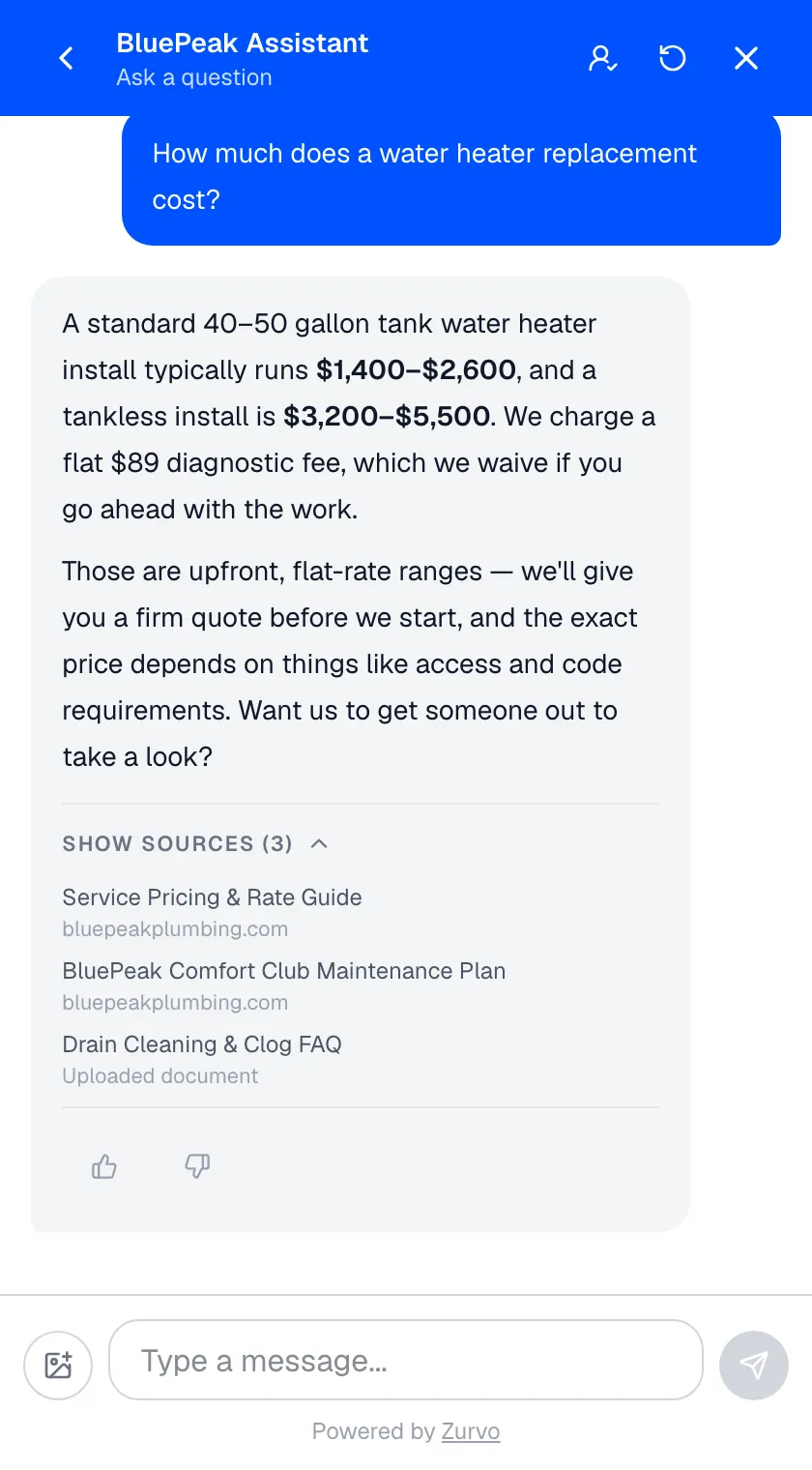
Answers include a Show sources link. Opening it reveals the pages or documents the answer was drawn from — a crawled page links to its URL, an uploaded file shows its title. This lets visitors verify an answer against the original, and it keeps your chatbot honest.
It holds back when it isn’t sure
If your chatbot can’t find enough supporting content to answer confidently, it says so rather than guessing — and it can offer to connect the visitor with your team. This is intentional. A chatbot that admits it doesn’t know is far more trustworthy than one that invents an answer.
Gaps become opportunities
Every question your chatbot couldn’t answer well is captured in Insights. Instead of silently failing, those moments become a to-do list: each one points to a piece of knowledge worth adding. Fixing them is quick with the Answer this fix loop, and over time your chatbot answers more and more because you keep feeding it what your customers actually ask.
Keep it accurate
Because answers come straight from your knowledge, keeping that knowledge clean pays off. Review and edit documents that are wrong, type in facts you want stated a specific way, and keep an eye on your business profile, which gives your chatbot the structured context — hours, services, contact details — behind its answers.